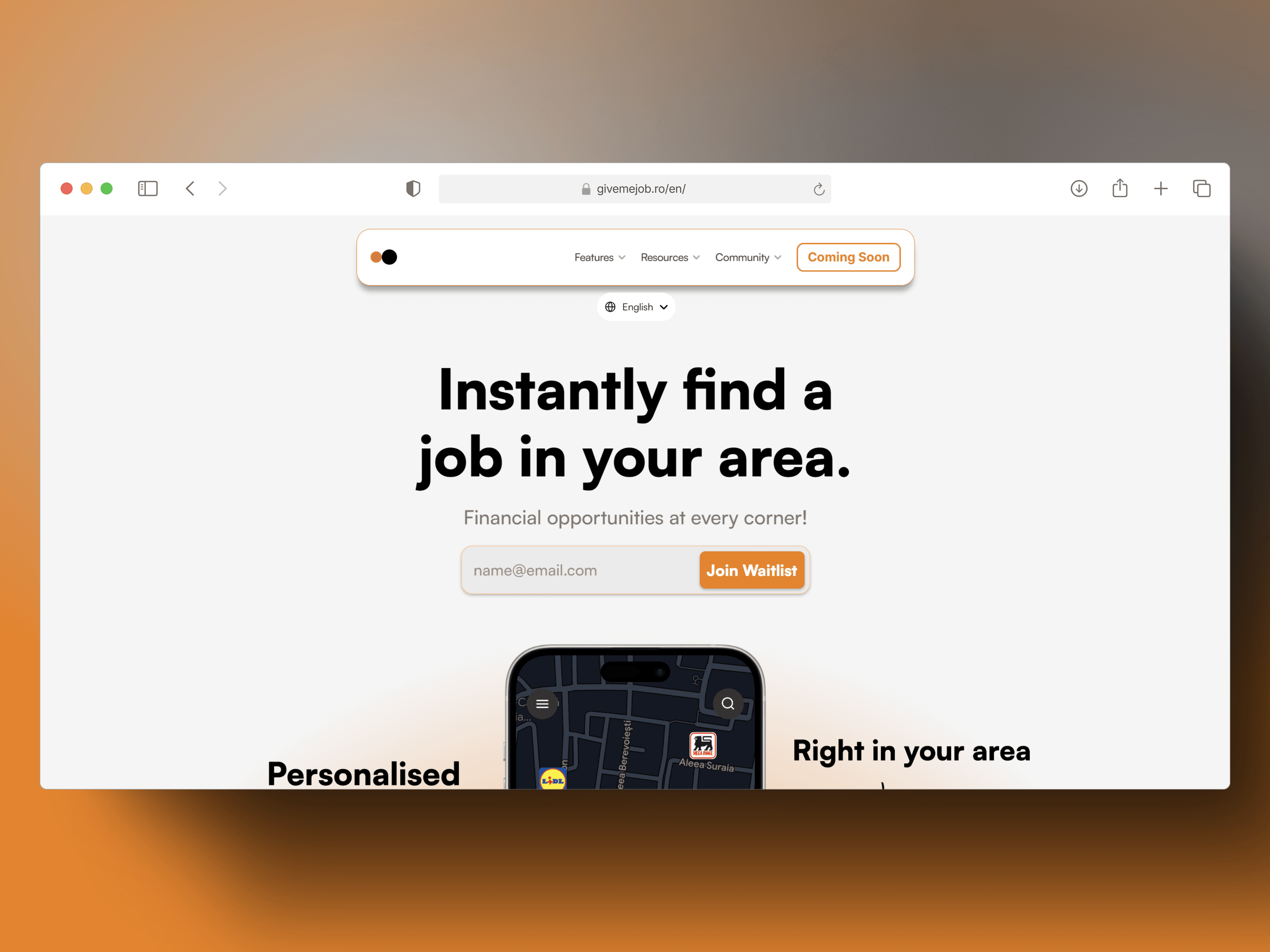
SCROLL
SCROLL
SCROLL
GIVE ME JOB | Website
Fast. Simple.
Work On Your Terms.
The platform is designed to connect job seekers with employers and streamline the hiring process. Key features include direct communication with employers, payment management through the app, and real-time location sharing for job opportunities.
My Role
Product Designer and Product Developer
Team
N/A
Timeline
2 Weeks
Tools
Figma, Framer, Loops, Lottielab.
Background
GIVE ME JOB is a next-generation recruitment platform that leverages cutting-edge technology to streamline the hiring process for both job seekers and employers. Our mission is to democratize access to job opportunities, enabling candidates to connect directly with employers through innovative tools such as GMJ Events, expert networks, and AI-driven job matching. Our vision is to simplify recruitment and help businesses find the right talent faster and more efficiently.
Methodologies
Double Diamond Strategy
Discover - Conducted comprehensive market and user research, including competitive analyses of global (LinkedIn, Indeed) and local (eJobs.ro, BestJobs.ro, DeLucru.ro) recruitment platforms.
Define - Synthesized insights into clear problem statements and opportunity areas, establishing KPIs focused on user acquisition, engagement, and SEO performance.
Develop - Ideated, prototyped, and iterated on design solutions, utilizing wireframing and high-fidelity prototyping.
Deliver - Implemented the final design with a focus on performance, accessibility, and scalability using Framer, leveraging its design-to-code capabilities to rapidly iterate and deliver a pixel-perfect, interactive website.
Service Safari - Immersive research to experience competitor environments first-hand, identifying strengths and gaps in user experience and content delivery.
Content Audit & Information Architecture - Executed a detailed content audit that informed a streamlined sitemap and clear user journey, emphasizing conversion paths and brand storytelling.
Problems
User Awareness & Acquisition – Educating potential users (both job seekers and businesses) about the platform’s unique features and why they should download the app.
Brand Credibility – Establishing trust through clear messaging, success stories, and transparency about the business.
Investor & Partner Engagement – Showcasing future plans, growth potential, and innovation to attract stakeholders.
SEO & Online Visibility – Ensuring the platform ranks well in search results to drive organic traffic and increase downloads.
Community Building – Highlighting events, mentorship programs, and industry connections to foster engagement before users even enter the app.
Solution
GIVE ME JOB is a purpose-built landing platform that educates and builds trust with job seekers, employers, and investors by clearly communicating our app’s unique value proposition and future vision. Designed with modern, user-centric principles and optimized for SEO, the website drives user acquisition, enhances brand credibility, and fosters community engagement as the essential gateway to our mobile solution.
Research & Discovery
Market & Competitive Analysis
Evaluated leading global recruitment platforms (LinkedIn and Indeed) and local competitors (eJobs.ro, BestJobs.ro, DeLucru.ro) to identify opportunities for differentiation, especially in storytelling and user engagement.

User Research
To better understand the target audience for the website, I conducted in-depth interviews with employees and business owners, and analyzed extensive online research.
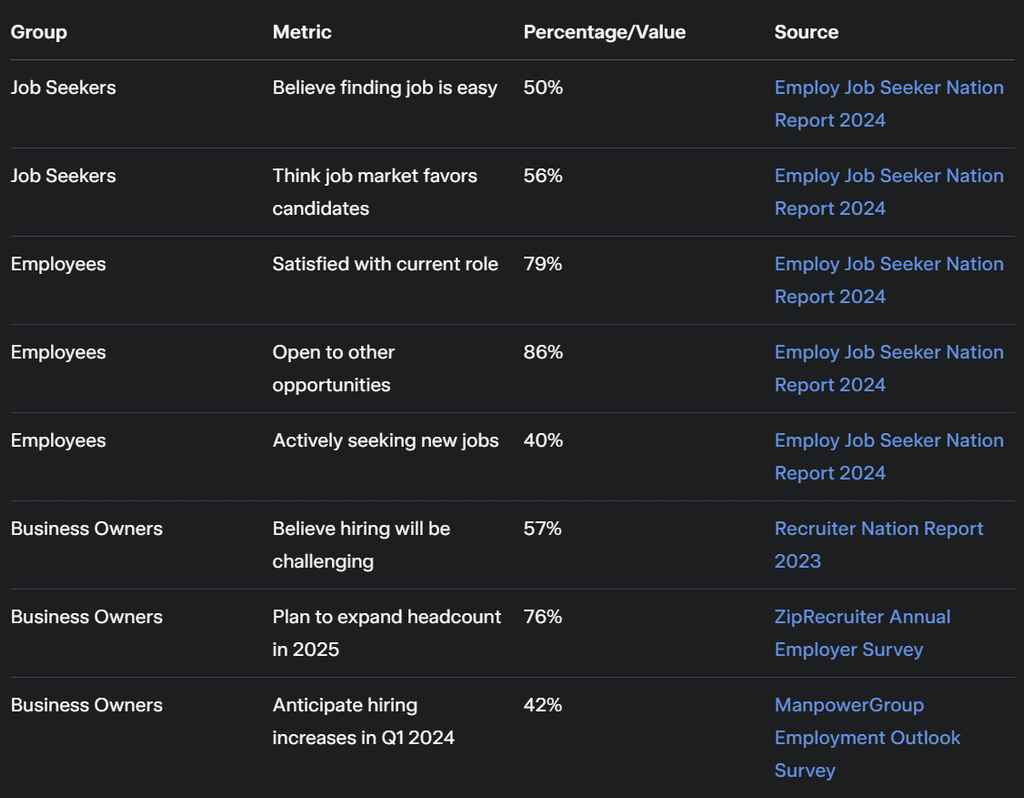
These insights revealed that while job seekers find opportunities easily and employees are open to exploring new roles, business owners still face significant hiring challenges.
"I find the job market incredibly candidate-friendly these days—there’s always an opportunity that fits my skills, and platforms like this make it even easier to connect with the right role."
Anna - Job Seeker
"I'm satisfied with my current role, but I'm always open to exploring new opportunities. It’s great to see a platform that simplifies my job search and keeps me informed about fresh, exciting possibilities."
Namir - Employee
"Running a small business means hiring the right people is critical yet challenging. Even with many applicants, finding that perfect fit is tough, so having a tool that directly connects me with qualified candidates is a real game changer."
Radu Savopol - Founder & CEO, at 5 to Go.
"I find the job market incredibly candidate-friendly these days—there’s always an opportunity that fits my skills, and platforms like this make it even easier to connect with the right role."
Anna - Job Seeker
"I'm satisfied with my current role, but I'm always open to exploring new opportunities. It’s great to see a platform that simplifies my job search and keeps me informed about fresh, exciting possibilities."
Namir - Employee
"Running a small business means hiring the right people is critical yet challenging. Even with many applicants, finding that perfect fit is tough, so having a tool that directly connects me with qualified candidates is a real game changer."
Radu Savopol - Founder & CEO, at 5 to Go.
This feedback was crucial in shaping the website’s content strategy, messaging, and user experience to build brand credibility and drive engagement.
Ideate & Prototype
Due to tight deadlines and the need to accelerate our time-to-market, I strategically streamlined the process by forgoing certain non-critical steps in the development and design phases.
Sitemap
For fast iteration, I used Relume to generate the first version of the sitemap.
For fast iteration, I used Relume to generate the first version of the sitemap.
Home
Navbar
Hero Header Section
Welcome message, high-quality image of professionals, and a call-to-action encouraging visitors to explore job opportunities.
Features List Section
List of key features for job seekers and businesses, including advanced search, personalized job recommendations, and employer branding.
Benefits Section
Highlight benefits of using the platform for both job seekers and businesses, such as increased job match accuracy and enhanced employer visibility.
Services Section
Detailed description of services offered, including job postings, resume building, and employer branding tools.
Testimonial Section
Showcase testimonials from successful job seekers and satisfied businesses to build trust and credibility.
CTA Section
Encouragement to sign up or contact for more information, with a strong call-to-action and a button.
CTA Form Section
Simple form for visitors to quickly sign up or request additional information.
FAQ Section
Frequently asked questions about the platform, its features, and how to get started.
Footer
Features
Navbar
Header Section
Introduction to the features offered by the platform, with a focus on benefits for both job seekers and businesses.
Feature Section
In-depth explanation of the advanced job search functionality, including filters and personalized job recommendations.
Feature Section
Detailed overview of the resume-building tool, highlighting ease of use and professional design templates.
Feature Section
Description of employer branding tools, showing how businesses can enhance their visibility and attract top talent.
Features List Section
Summary of additional features, such as email alerts, interview scheduling, and analytics dashboard.
How It Works Section
Step-by-step guide on how to use the platform, from account creation to applying for jobs or posting job listings.
Testimonial Section
User testimonials that highlight the effectiveness and user-friendliness of the platform.
CTA Section
Encouragement to sign up or learn more, with a clear call-to-action and a button.
Footer
Job Seekers
Navbar
Header Section
Introduction to the page, highlighting the platform's dedication to helping job seekers find their ideal jobs.
Feature Section
Advanced job search functionality with filters for location, industry, and salary.
Feature Section
Personalized job recommendations based on skills, experience, and preferences.
Feature Section
Resume builder tool to create and optimize resumes with professional templates.
Testimonial Section
Success stories from job seekers who found their dream jobs using the platform.
CTA Section
Call-to-action encouraging job seekers to create an account and start their job search.
CTA Form Section
Simple sign-up form for job seekers to create an account and start receiving job recommendations.
FAQ Section
Frequently asked questions about using the platform for job search, resume building, and more.
Footer
Business
Navbar
Header Section
Introduction to the Business features, tailored for companies looking to hire talent efficiently.
Feature Section
Detailed explanation of the “Advanced Job Posting” feature, which allows businesses to create detailed job listings.
Feature Section
Explanation of “Employer Branding” tools, including company profiles and featured job postings.
Feature Section
Overview of “Candidate Matching Algorithm” that helps businesses find the best candidates quickly.
Features List Section
Summary of additional features such as analytics dashboard, applicant tracking system, and communication tools.
Benefits Section
Highlight the benefits for businesses, such as time-saving, access to a larger talent pool, and improved hiring quality.
Testimonial Section
Showcase testimonials from businesses that have successfully hired through the platform.
CTA Section
Encouragement to create a business account or contact sales for a demo, with a strong call-to-action and a button.
CTA Form Section
Simple form for businesses to quickly sign up or request a demo.
Footer
Resources
Navbar
Header Section
Introduction to the Resources page, explaining the purpose and what visitors can find here.
Blog List Section
List of recent and popular blog posts covering various career and hiring topics.
Resources List Section
Comprehensive list of downloadable resources, such as eBooks, guides, and whitepapers.
Case Study List Section
Collection of case studies showcasing success stories of job seekers and businesses using the platform.
Contact Section
Information on how to get in touch for support or further inquiries, including email and social media links.
FAQ Section
Frequently asked questions related to the resources provided, how to access them, and their benefits.
Footer
Blog
Navbar
Featured Blog List Header Section
Highlight the most recent or popular blog posts with engaging titles and brief descriptions.
Blog List Section
A list of all blog posts organized by categories or tags, including titles, dates, and brief summaries.
Testimonial Section
Showcase testimonials from readers or contributors praising the blog content.
CTA Section
Encourage visitors to subscribe to the blog or newsletter with a compelling call-to-action and a subscription button.
Newsletter Section
Invite visitors to subscribe to the blog’s newsletter for regular updates and exclusive content.
Footer
About
Navbar
Header Section
Introduction to the company, mission statement, and a brief history of the organization.
About Section
Detailed overview of the company's journey, values, and goals, including its commitment to connecting job seekers with employers.
Team Section
Profiles of the leadership team and key staff members, highlighting their experience and roles within the company.
Timeline Section
Chronological timeline showcasing the major milestones and achievements of the company from its inception to the present.
Client Logos List Section
Logos of notable companies and organizations that have partnered with or used the platform.
Award Logos List Section
Logos of awards and recognitions the company has received for its contributions and excellence in the industry.
Testimonial Section
Testimonials from clients and partners, emphasizing the positive impact and success stories facilitated by the platform.
CTA Section
Encouragement to learn more or get involved, with a strong call-to-action and a button linking to contact or sign-up pages.
Footer
Careers
Navbar
Header Section
Overview of career opportunities available at the company, including a call-to-action to explore open positions.
Job Listings Section
A comprehensive list of all available job openings, categorized by department and location.
Feature Section
Highlight the company's commitment to employee growth and development, including training programs and career advancement opportunities.
Testimonial Section
Testimonials from current employees sharing their positive experiences working at the company.
Team Section
Introduction to key team members, showcasing the company's leadership and diverse workforce.
CTA Section
Encouragement to apply for open positions, with a call-to-action button leading to the application form.
Contact Form Section
Form for potential candidates to reach out with questions or inquiries about the job openings.
Footer
Community
Navbar
Header Section
Introduction to the community aspect of the platform, outlining the importance of networking and engagement.
Features List Section
Overview of key community features such as events, expert panels, and discussions.
Events List Section
List of upcoming community events, including networking sessions, webinars, and workshops.
Team Section
Profiles of community managers and key figures involved in organizing events and engagement activities.
Testimonial Section
Testimonials from community members about the value and impact of participating in community events.
CTA Section
Encouragement to join the community, with a strong call-to-action and a button to sign up for events or newsletters.
Contact Form Section
Form for visitors to reach out with questions or suggestions about community activities.
FAQ Section
Frequently asked questions about community engagement, events, and how to participate.
Footer
Events
Navbar
Header Section
Title of the page, brief introduction to the events section, and an eye-catching image.
Events List Section
List of upcoming events with dates, times, and brief descriptions.
Event Schedule Section
Detailed schedule for each event, including speakers, topics, and session times.
Testimonial Section
Testimonials from past event attendees highlighting their experiences and the value they gained.
CTA Section
Call-to-action encouraging users to register for upcoming events, with a button linking to the registration form.
CTA Form Section
Registration form for upcoming events, capturing essential details like name, email, and event preferences.
FAQ Section
Frequently asked questions about attending or hosting events, including registration details, event format, and participation guidelines.
Footer
Experts
Navbar
Header Section
Title: Meet Our Experts, subtitle: Learn from the best in the industry.
Feature Section
Detailed profiles of industry experts who contribute to the platform, including their experience and areas of expertise.
Features List Section
List of expert services offered such as webinars, one-on-one mentoring, and resume reviews.
How It Works Section
Step-by-step guide on how users can connect with experts, book sessions, and benefit from their advice.
Testimonial Section
Testimonials from users who have benefited from expert advice, highlighting success stories and positive outcomes.
CTA Section
Call-to-action encouraging users to book a session with an expert, including a prominent button to "Get Started Now."
CTA Form Section
Form for users to sign up for expert sessions or request more information.
Footer
Legal
Navbar
Header Section
Introduction to the legal policies and their importance for users and businesses.
Legal Page Body Section
Detailed legal information including terms and conditions, privacy policy, cookies policy, and GDPR compliance.
Legal Page Body Section
Link to Trademark policy with a brief description.
Legal Page Body Section
Link to General Data Protection Regulation (GDPR) policy with a brief description.
Legal Page Body Section
Link to Privacy Policy with a brief description.
Legal Page Body Section
Link to Cookies Policy with a brief description.
Legal Page Body Section
Link to Terms and Conditions with a brief description.
CTA Section
Encouragement to contact for any legal inquiries or further clarification, with a call-to-action button.
Footer
Trademark
Navbar
Header Section
Title "Trademark Information," brief introduction about the importance of trademark and its relevance to the company.
Legal Page Body Section
Detailed information about the company's trademarks, guidelines for proper use, and legal disclaimers.
FAQ Section
Common questions related to trademark usage and policies, along with clear, concise answers to help users understand trademark rules.
Footer
GDPR
Navbar
Header Section
Page title ("General Data Protection Regulation"), brief introduction to GDPR compliance and its importance.
Legal Page Body Section
Detailed information about GDPR compliance, including data protection principles, rights of data subjects, and the company's commitment to protecting user data.
Footer
Privacy Policy
Navbar
Header Section
Title and brief introduction about the importance of privacy and data protection, aligning with legal requirements and company values.
Legal Page Body Section
Detailed information on data collection, usage, and protection practices including the types of data collected, methods of collection, purpose of data usage, and third-party sharing policies.
Legal Page Body Section
User rights regarding their data, including access, correction, deletion, and data portability, along with instructions on how users can exercise these rights.
Legal Page Body Section
Information on cookies and tracking technologies used on the website, including types of cookies, purposes, and how users can manage their cookie preferences.
Legal Page Body Section
Details on data security measures in place to protect user information, including technical and organizational measures.
Legal Page Body Section
Contact information for privacy-related inquiries, including email and physical address, and a link to the contact form.
Legal Page Body Section
Information on policy updates and how users will be notified of changes, including the effective date of the latest policy update.
Footer
Cookies Policy
Navbar
Header Section
Title: "Cookies Policy"; brief introduction explaining the purpose of the cookies policy.
Legal Page Body Section
Detailed information about the types of cookies used, their purposes, and how users can manage cookie settings.
Footer
Home
Navbar
Hero Header Section
Welcome message, high-quality image of professionals, and a call-to-action encouraging visitors to explore job opportunities.
Features List Section
List of key features for job seekers and businesses, including advanced search, personalized job recommendations, and employer branding.
Benefits Section
Highlight benefits of using the platform for both job seekers and businesses, such as increased job match accuracy and enhanced employer visibility.
Services Section
Detailed description of services offered, including job postings, resume building, and employer branding tools.
Testimonial Section
Showcase testimonials from successful job seekers and satisfied businesses to build trust and credibility.
CTA Section
Encouragement to sign up or contact for more information, with a strong call-to-action and a button.
CTA Form Section
Simple form for visitors to quickly sign up or request additional information.
FAQ Section
Frequently asked questions about the platform, its features, and how to get started.
Footer
Features
Navbar
Header Section
Introduction to the features offered by the platform, with a focus on benefits for both job seekers and businesses.
Feature Section
In-depth explanation of the advanced job search functionality, including filters and personalized job recommendations.
Feature Section
Detailed overview of the resume-building tool, highlighting ease of use and professional design templates.
Feature Section
Description of employer branding tools, showing how businesses can enhance their visibility and attract top talent.
Features List Section
Summary of additional features, such as email alerts, interview scheduling, and analytics dashboard.
How It Works Section
Step-by-step guide on how to use the platform, from account creation to applying for jobs or posting job listings.
Testimonial Section
User testimonials that highlight the effectiveness and user-friendliness of the platform.
CTA Section
Encouragement to sign up or learn more, with a clear call-to-action and a button.
Footer
Job Seekers
Navbar
Header Section
Introduction to the page, highlighting the platform's dedication to helping job seekers find their ideal jobs.
Feature Section
Advanced job search functionality with filters for location, industry, and salary.
Feature Section
Personalized job recommendations based on skills, experience, and preferences.
Feature Section
Resume builder tool to create and optimize resumes with professional templates.
Testimonial Section
Success stories from job seekers who found their dream jobs using the platform.
CTA Section
Call-to-action encouraging job seekers to create an account and start their job search.
CTA Form Section
Simple sign-up form for job seekers to create an account and start receiving job recommendations.
FAQ Section
Frequently asked questions about using the platform for job search, resume building, and more.
Footer
Business
Navbar
Header Section
Introduction to the Business features, tailored for companies looking to hire talent efficiently.
Feature Section
Detailed explanation of the “Advanced Job Posting” feature, which allows businesses to create detailed job listings.
Feature Section
Explanation of “Employer Branding” tools, including company profiles and featured job postings.
Feature Section
Overview of “Candidate Matching Algorithm” that helps businesses find the best candidates quickly.
Features List Section
Summary of additional features such as analytics dashboard, applicant tracking system, and communication tools.
Benefits Section
Highlight the benefits for businesses, such as time-saving, access to a larger talent pool, and improved hiring quality.
Testimonial Section
Showcase testimonials from businesses that have successfully hired through the platform.
CTA Section
Encouragement to create a business account or contact sales for a demo, with a strong call-to-action and a button.
CTA Form Section
Simple form for businesses to quickly sign up or request a demo.
Footer
Resources
Navbar
Header Section
Introduction to the Resources page, explaining the purpose and what visitors can find here.
Blog List Section
List of recent and popular blog posts covering various career and hiring topics.
Resources List Section
Comprehensive list of downloadable resources, such as eBooks, guides, and whitepapers.
Case Study List Section
Collection of case studies showcasing success stories of job seekers and businesses using the platform.
Contact Section
Information on how to get in touch for support or further inquiries, including email and social media links.
FAQ Section
Frequently asked questions related to the resources provided, how to access them, and their benefits.
Footer
Blog
Navbar
Featured Blog List Header Section
Highlight the most recent or popular blog posts with engaging titles and brief descriptions.
Blog List Section
A list of all blog posts organized by categories or tags, including titles, dates, and brief summaries.
Testimonial Section
Showcase testimonials from readers or contributors praising the blog content.
CTA Section
Encourage visitors to subscribe to the blog or newsletter with a compelling call-to-action and a subscription button.
Newsletter Section
Invite visitors to subscribe to the blog’s newsletter for regular updates and exclusive content.
Footer
About
Navbar
Header Section
Introduction to the company, mission statement, and a brief history of the organization.
About Section
Detailed overview of the company's journey, values, and goals, including its commitment to connecting job seekers with employers.
Team Section
Profiles of the leadership team and key staff members, highlighting their experience and roles within the company.
Timeline Section
Chronological timeline showcasing the major milestones and achievements of the company from its inception to the present.
Client Logos List Section
Logos of notable companies and organizations that have partnered with or used the platform.
Award Logos List Section
Logos of awards and recognitions the company has received for its contributions and excellence in the industry.
Testimonial Section
Testimonials from clients and partners, emphasizing the positive impact and success stories facilitated by the platform.
CTA Section
Encouragement to learn more or get involved, with a strong call-to-action and a button linking to contact or sign-up pages.
Footer
Careers
Navbar
Header Section
Overview of career opportunities available at the company, including a call-to-action to explore open positions.
Job Listings Section
A comprehensive list of all available job openings, categorized by department and location.
Feature Section
Highlight the company's commitment to employee growth and development, including training programs and career advancement opportunities.
Testimonial Section
Testimonials from current employees sharing their positive experiences working at the company.
Team Section
Introduction to key team members, showcasing the company's leadership and diverse workforce.
CTA Section
Encouragement to apply for open positions, with a call-to-action button leading to the application form.
Contact Form Section
Form for potential candidates to reach out with questions or inquiries about the job openings.
Footer
Community
Navbar
Header Section
Introduction to the community aspect of the platform, outlining the importance of networking and engagement.
Features List Section
Overview of key community features such as events, expert panels, and discussions.
Events List Section
List of upcoming community events, including networking sessions, webinars, and workshops.
Team Section
Profiles of community managers and key figures involved in organizing events and engagement activities.
Testimonial Section
Testimonials from community members about the value and impact of participating in community events.
CTA Section
Encouragement to join the community, with a strong call-to-action and a button to sign up for events or newsletters.
Contact Form Section
Form for visitors to reach out with questions or suggestions about community activities.
FAQ Section
Frequently asked questions about community engagement, events, and how to participate.
Footer
Events
Navbar
Header Section
Title of the page, brief introduction to the events section, and an eye-catching image.
Events List Section
List of upcoming events with dates, times, and brief descriptions.
Event Schedule Section
Detailed schedule for each event, including speakers, topics, and session times.
Testimonial Section
Testimonials from past event attendees highlighting their experiences and the value they gained.
CTA Section
Call-to-action encouraging users to register for upcoming events, with a button linking to the registration form.
CTA Form Section
Registration form for upcoming events, capturing essential details like name, email, and event preferences.
FAQ Section
Frequently asked questions about attending or hosting events, including registration details, event format, and participation guidelines.
Footer
Experts
Navbar
Header Section
Title: Meet Our Experts, subtitle: Learn from the best in the industry.
Feature Section
Detailed profiles of industry experts who contribute to the platform, including their experience and areas of expertise.
Features List Section
List of expert services offered such as webinars, one-on-one mentoring, and resume reviews.
How It Works Section
Step-by-step guide on how users can connect with experts, book sessions, and benefit from their advice.
Testimonial Section
Testimonials from users who have benefited from expert advice, highlighting success stories and positive outcomes.
CTA Section
Call-to-action encouraging users to book a session with an expert, including a prominent button to "Get Started Now."
CTA Form Section
Form for users to sign up for expert sessions or request more information.
Footer
Legal
Navbar
Header Section
Introduction to the legal policies and their importance for users and businesses.
Legal Page Body Section
Detailed legal information including terms and conditions, privacy policy, cookies policy, and GDPR compliance.
Legal Page Body Section
Link to Trademark policy with a brief description.
Legal Page Body Section
Link to General Data Protection Regulation (GDPR) policy with a brief description.
Legal Page Body Section
Link to Privacy Policy with a brief description.
Legal Page Body Section
Link to Cookies Policy with a brief description.
Legal Page Body Section
Link to Terms and Conditions with a brief description.
CTA Section
Encouragement to contact for any legal inquiries or further clarification, with a call-to-action button.
Footer
Trademark
Navbar
Header Section
Title "Trademark Information," brief introduction about the importance of trademark and its relevance to the company.
Legal Page Body Section
Detailed information about the company's trademarks, guidelines for proper use, and legal disclaimers.
FAQ Section
Common questions related to trademark usage and policies, along with clear, concise answers to help users understand trademark rules.
Footer
GDPR
Navbar
Header Section
Page title ("General Data Protection Regulation"), brief introduction to GDPR compliance and its importance.
Legal Page Body Section
Detailed information about GDPR compliance, including data protection principles, rights of data subjects, and the company's commitment to protecting user data.
Footer
Privacy Policy
Navbar
Header Section
Title and brief introduction about the importance of privacy and data protection, aligning with legal requirements and company values.
Legal Page Body Section
Detailed information on data collection, usage, and protection practices including the types of data collected, methods of collection, purpose of data usage, and third-party sharing policies.
Legal Page Body Section
User rights regarding their data, including access, correction, deletion, and data portability, along with instructions on how users can exercise these rights.
Legal Page Body Section
Information on cookies and tracking technologies used on the website, including types of cookies, purposes, and how users can manage their cookie preferences.
Legal Page Body Section
Details on data security measures in place to protect user information, including technical and organizational measures.
Legal Page Body Section
Contact information for privacy-related inquiries, including email and physical address, and a link to the contact form.
Legal Page Body Section
Information on policy updates and how users will be notified of changes, including the effective date of the latest policy update.
Footer
Cookies Policy
Navbar
Header Section
Title: "Cookies Policy"; brief introduction explaining the purpose of the cookies policy.
Legal Page Body Section
Detailed information about the types of cookies used, their purposes, and how users can manage cookie settings.
Footer
Home
Navbar
Hero Header Section
Welcome message, high-quality image of professionals, and a call-to-action encouraging visitors to explore job opportunities.
Features List Section
List of key features for job seekers and businesses, including advanced search, personalized job recommendations, and employer branding.
Benefits Section
Highlight benefits of using the platform for both job seekers and businesses, such as increased job match accuracy and enhanced employer visibility.
Services Section
Detailed description of services offered, including job postings, resume building, and employer branding tools.
Testimonial Section
Showcase testimonials from successful job seekers and satisfied businesses to build trust and credibility.
CTA Section
Encouragement to sign up or contact for more information, with a strong call-to-action and a button.
CTA Form Section
Simple form for visitors to quickly sign up or request additional information.
FAQ Section
Frequently asked questions about the platform, its features, and how to get started.
Footer
Features
Navbar
Header Section
Introduction to the features offered by the platform, with a focus on benefits for both job seekers and businesses.
Feature Section
In-depth explanation of the advanced job search functionality, including filters and personalized job recommendations.
Feature Section
Detailed overview of the resume-building tool, highlighting ease of use and professional design templates.
Feature Section
Description of employer branding tools, showing how businesses can enhance their visibility and attract top talent.
Features List Section
Summary of additional features, such as email alerts, interview scheduling, and analytics dashboard.
How It Works Section
Step-by-step guide on how to use the platform, from account creation to applying for jobs or posting job listings.
Testimonial Section
User testimonials that highlight the effectiveness and user-friendliness of the platform.
CTA Section
Encouragement to sign up or learn more, with a clear call-to-action and a button.
Footer
Job Seekers
Navbar
Header Section
Introduction to the page, highlighting the platform's dedication to helping job seekers find their ideal jobs.
Feature Section
Advanced job search functionality with filters for location, industry, and salary.
Feature Section
Personalized job recommendations based on skills, experience, and preferences.
Feature Section
Resume builder tool to create and optimize resumes with professional templates.
Testimonial Section
Success stories from job seekers who found their dream jobs using the platform.
CTA Section
Call-to-action encouraging job seekers to create an account and start their job search.
CTA Form Section
Simple sign-up form for job seekers to create an account and start receiving job recommendations.
FAQ Section
Frequently asked questions about using the platform for job search, resume building, and more.
Footer
Business
Navbar
Header Section
Introduction to the Business features, tailored for companies looking to hire talent efficiently.
Feature Section
Detailed explanation of the “Advanced Job Posting” feature, which allows businesses to create detailed job listings.
Feature Section
Explanation of “Employer Branding” tools, including company profiles and featured job postings.
Feature Section
Overview of “Candidate Matching Algorithm” that helps businesses find the best candidates quickly.
Features List Section
Summary of additional features such as analytics dashboard, applicant tracking system, and communication tools.
Benefits Section
Highlight the benefits for businesses, such as time-saving, access to a larger talent pool, and improved hiring quality.
Testimonial Section
Showcase testimonials from businesses that have successfully hired through the platform.
CTA Section
Encouragement to create a business account or contact sales for a demo, with a strong call-to-action and a button.
CTA Form Section
Simple form for businesses to quickly sign up or request a demo.
Footer
Resources
Navbar
Header Section
Introduction to the Resources page, explaining the purpose and what visitors can find here.
Blog List Section
List of recent and popular blog posts covering various career and hiring topics.
Resources List Section
Comprehensive list of downloadable resources, such as eBooks, guides, and whitepapers.
Case Study List Section
Collection of case studies showcasing success stories of job seekers and businesses using the platform.
Contact Section
Information on how to get in touch for support or further inquiries, including email and social media links.
FAQ Section
Frequently asked questions related to the resources provided, how to access them, and their benefits.
Footer
Blog
Navbar
Featured Blog List Header Section
Highlight the most recent or popular blog posts with engaging titles and brief descriptions.
Blog List Section
A list of all blog posts organized by categories or tags, including titles, dates, and brief summaries.
Testimonial Section
Showcase testimonials from readers or contributors praising the blog content.
CTA Section
Encourage visitors to subscribe to the blog or newsletter with a compelling call-to-action and a subscription button.
Newsletter Section
Invite visitors to subscribe to the blog’s newsletter for regular updates and exclusive content.
Footer
About
Navbar
Header Section
Introduction to the company, mission statement, and a brief history of the organization.
About Section
Detailed overview of the company's journey, values, and goals, including its commitment to connecting job seekers with employers.
Team Section
Profiles of the leadership team and key staff members, highlighting their experience and roles within the company.
Timeline Section
Chronological timeline showcasing the major milestones and achievements of the company from its inception to the present.
Client Logos List Section
Logos of notable companies and organizations that have partnered with or used the platform.
Award Logos List Section
Logos of awards and recognitions the company has received for its contributions and excellence in the industry.
Testimonial Section
Testimonials from clients and partners, emphasizing the positive impact and success stories facilitated by the platform.
CTA Section
Encouragement to learn more or get involved, with a strong call-to-action and a button linking to contact or sign-up pages.
Footer
Careers
Navbar
Header Section
Overview of career opportunities available at the company, including a call-to-action to explore open positions.
Job Listings Section
A comprehensive list of all available job openings, categorized by department and location.
Feature Section
Highlight the company's commitment to employee growth and development, including training programs and career advancement opportunities.
Testimonial Section
Testimonials from current employees sharing their positive experiences working at the company.
Team Section
Introduction to key team members, showcasing the company's leadership and diverse workforce.
CTA Section
Encouragement to apply for open positions, with a call-to-action button leading to the application form.
Contact Form Section
Form for potential candidates to reach out with questions or inquiries about the job openings.
Footer
Community
Navbar
Header Section
Introduction to the community aspect of the platform, outlining the importance of networking and engagement.
Features List Section
Overview of key community features such as events, expert panels, and discussions.
Events List Section
List of upcoming community events, including networking sessions, webinars, and workshops.
Team Section
Profiles of community managers and key figures involved in organizing events and engagement activities.
Testimonial Section
Testimonials from community members about the value and impact of participating in community events.
CTA Section
Encouragement to join the community, with a strong call-to-action and a button to sign up for events or newsletters.
Contact Form Section
Form for visitors to reach out with questions or suggestions about community activities.
FAQ Section
Frequently asked questions about community engagement, events, and how to participate.
Footer
Events
Navbar
Header Section
Title of the page, brief introduction to the events section, and an eye-catching image.
Events List Section
List of upcoming events with dates, times, and brief descriptions.
Event Schedule Section
Detailed schedule for each event, including speakers, topics, and session times.
Testimonial Section
Testimonials from past event attendees highlighting their experiences and the value they gained.
CTA Section
Call-to-action encouraging users to register for upcoming events, with a button linking to the registration form.
CTA Form Section
Registration form for upcoming events, capturing essential details like name, email, and event preferences.
FAQ Section
Frequently asked questions about attending or hosting events, including registration details, event format, and participation guidelines.
Footer
Experts
Navbar
Header Section
Title: Meet Our Experts, subtitle: Learn from the best in the industry.
Feature Section
Detailed profiles of industry experts who contribute to the platform, including their experience and areas of expertise.
Features List Section
List of expert services offered such as webinars, one-on-one mentoring, and resume reviews.
How It Works Section
Step-by-step guide on how users can connect with experts, book sessions, and benefit from their advice.
Testimonial Section
Testimonials from users who have benefited from expert advice, highlighting success stories and positive outcomes.
CTA Section
Call-to-action encouraging users to book a session with an expert, including a prominent button to "Get Started Now."
CTA Form Section
Form for users to sign up for expert sessions or request more information.
Footer
Legal
Navbar
Header Section
Introduction to the legal policies and their importance for users and businesses.
Legal Page Body Section
Detailed legal information including terms and conditions, privacy policy, cookies policy, and GDPR compliance.
Legal Page Body Section
Link to Trademark policy with a brief description.
Legal Page Body Section
Link to General Data Protection Regulation (GDPR) policy with a brief description.
Legal Page Body Section
Link to Privacy Policy with a brief description.
Legal Page Body Section
Link to Cookies Policy with a brief description.
Legal Page Body Section
Link to Terms and Conditions with a brief description.
CTA Section
Encouragement to contact for any legal inquiries or further clarification, with a call-to-action button.
Footer
Trademark
Navbar
Header Section
Title "Trademark Information," brief introduction about the importance of trademark and its relevance to the company.
Legal Page Body Section
Detailed information about the company's trademarks, guidelines for proper use, and legal disclaimers.
FAQ Section
Common questions related to trademark usage and policies, along with clear, concise answers to help users understand trademark rules.
Footer
GDPR
Navbar
Header Section
Page title ("General Data Protection Regulation"), brief introduction to GDPR compliance and its importance.
Legal Page Body Section
Detailed information about GDPR compliance, including data protection principles, rights of data subjects, and the company's commitment to protecting user data.
Footer
Privacy Policy
Navbar
Header Section
Title and brief introduction about the importance of privacy and data protection, aligning with legal requirements and company values.
Legal Page Body Section
Detailed information on data collection, usage, and protection practices including the types of data collected, methods of collection, purpose of data usage, and third-party sharing policies.
Legal Page Body Section
User rights regarding their data, including access, correction, deletion, and data portability, along with instructions on how users can exercise these rights.
Legal Page Body Section
Information on cookies and tracking technologies used on the website, including types of cookies, purposes, and how users can manage their cookie preferences.
Legal Page Body Section
Details on data security measures in place to protect user information, including technical and organizational measures.
Legal Page Body Section
Contact information for privacy-related inquiries, including email and physical address, and a link to the contact form.
Legal Page Body Section
Information on policy updates and how users will be notified of changes, including the effective date of the latest policy update.
Footer
Cookies Policy
Navbar
Header Section
Title: "Cookies Policy"; brief introduction explaining the purpose of the cookies policy.
Legal Page Body Section
Detailed information about the types of cookies used, their purposes, and how users can manage cookie settings.
Footer
Home
Navbar
Hero Header Section
Welcome message, high-quality image of professionals, and a call-to-action encouraging visitors to explore job opportunities.
Features List Section
List of key features for job seekers and businesses, including advanced search, personalized job recommendations, and employer branding.
Benefits Section
Highlight benefits of using the platform for both job seekers and businesses, such as increased job match accuracy and enhanced employer visibility.
Services Section
Detailed description of services offered, including job postings, resume building, and employer branding tools.
Testimonial Section
Showcase testimonials from successful job seekers and satisfied businesses to build trust and credibility.
CTA Section
Encouragement to sign up or contact for more information, with a strong call-to-action and a button.
CTA Form Section
Simple form for visitors to quickly sign up or request additional information.
FAQ Section
Frequently asked questions about the platform, its features, and how to get started.
Footer
Features
Navbar
Header Section
Introduction to the features offered by the platform, with a focus on benefits for both job seekers and businesses.
Feature Section
In-depth explanation of the advanced job search functionality, including filters and personalized job recommendations.
Feature Section
Detailed overview of the resume-building tool, highlighting ease of use and professional design templates.
Feature Section
Description of employer branding tools, showing how businesses can enhance their visibility and attract top talent.
Features List Section
Summary of additional features, such as email alerts, interview scheduling, and analytics dashboard.
How It Works Section
Step-by-step guide on how to use the platform, from account creation to applying for jobs or posting job listings.
Testimonial Section
User testimonials that highlight the effectiveness and user-friendliness of the platform.
CTA Section
Encouragement to sign up or learn more, with a clear call-to-action and a button.
Footer
Job Seekers
Navbar
Header Section
Introduction to the page, highlighting the platform's dedication to helping job seekers find their ideal jobs.
Feature Section
Advanced job search functionality with filters for location, industry, and salary.
Feature Section
Personalized job recommendations based on skills, experience, and preferences.
Feature Section
Resume builder tool to create and optimize resumes with professional templates.
Testimonial Section
Success stories from job seekers who found their dream jobs using the platform.
CTA Section
Call-to-action encouraging job seekers to create an account and start their job search.
CTA Form Section
Simple sign-up form for job seekers to create an account and start receiving job recommendations.
FAQ Section
Frequently asked questions about using the platform for job search, resume building, and more.
Footer
Business
Navbar
Header Section
Introduction to the Business features, tailored for companies looking to hire talent efficiently.
Feature Section
Detailed explanation of the “Advanced Job Posting” feature, which allows businesses to create detailed job listings.
Feature Section
Explanation of “Employer Branding” tools, including company profiles and featured job postings.
Feature Section
Overview of “Candidate Matching Algorithm” that helps businesses find the best candidates quickly.
Features List Section
Summary of additional features such as analytics dashboard, applicant tracking system, and communication tools.
Benefits Section
Highlight the benefits for businesses, such as time-saving, access to a larger talent pool, and improved hiring quality.
Testimonial Section
Showcase testimonials from businesses that have successfully hired through the platform.
CTA Section
Encouragement to create a business account or contact sales for a demo, with a strong call-to-action and a button.
CTA Form Section
Simple form for businesses to quickly sign up or request a demo.
Footer
Resources
Navbar
Header Section
Introduction to the Resources page, explaining the purpose and what visitors can find here.
Blog List Section
List of recent and popular blog posts covering various career and hiring topics.
Resources List Section
Comprehensive list of downloadable resources, such as eBooks, guides, and whitepapers.
Case Study List Section
Collection of case studies showcasing success stories of job seekers and businesses using the platform.
Contact Section
Information on how to get in touch for support or further inquiries, including email and social media links.
FAQ Section
Frequently asked questions related to the resources provided, how to access them, and their benefits.
Footer
Blog
Navbar
Featured Blog List Header Section
Highlight the most recent or popular blog posts with engaging titles and brief descriptions.
Blog List Section
A list of all blog posts organized by categories or tags, including titles, dates, and brief summaries.
Testimonial Section
Showcase testimonials from readers or contributors praising the blog content.
CTA Section
Encourage visitors to subscribe to the blog or newsletter with a compelling call-to-action and a subscription button.
Newsletter Section
Invite visitors to subscribe to the blog’s newsletter for regular updates and exclusive content.
Footer
About
Navbar
Header Section
Introduction to the company, mission statement, and a brief history of the organization.
About Section
Detailed overview of the company's journey, values, and goals, including its commitment to connecting job seekers with employers.
Team Section
Profiles of the leadership team and key staff members, highlighting their experience and roles within the company.
Timeline Section
Chronological timeline showcasing the major milestones and achievements of the company from its inception to the present.
Client Logos List Section
Logos of notable companies and organizations that have partnered with or used the platform.
Award Logos List Section
Logos of awards and recognitions the company has received for its contributions and excellence in the industry.
Testimonial Section
Testimonials from clients and partners, emphasizing the positive impact and success stories facilitated by the platform.
CTA Section
Encouragement to learn more or get involved, with a strong call-to-action and a button linking to contact or sign-up pages.
Footer
Careers
Navbar
Header Section
Overview of career opportunities available at the company, including a call-to-action to explore open positions.
Job Listings Section
A comprehensive list of all available job openings, categorized by department and location.
Feature Section
Highlight the company's commitment to employee growth and development, including training programs and career advancement opportunities.
Testimonial Section
Testimonials from current employees sharing their positive experiences working at the company.
Team Section
Introduction to key team members, showcasing the company's leadership and diverse workforce.
CTA Section
Encouragement to apply for open positions, with a call-to-action button leading to the application form.
Contact Form Section
Form for potential candidates to reach out with questions or inquiries about the job openings.
Footer
Community
Navbar
Header Section
Introduction to the community aspect of the platform, outlining the importance of networking and engagement.
Features List Section
Overview of key community features such as events, expert panels, and discussions.
Events List Section
List of upcoming community events, including networking sessions, webinars, and workshops.
Team Section
Profiles of community managers and key figures involved in organizing events and engagement activities.
Testimonial Section
Testimonials from community members about the value and impact of participating in community events.
CTA Section
Encouragement to join the community, with a strong call-to-action and a button to sign up for events or newsletters.
Contact Form Section
Form for visitors to reach out with questions or suggestions about community activities.
FAQ Section
Frequently asked questions about community engagement, events, and how to participate.
Footer
Events
Navbar
Header Section
Title of the page, brief introduction to the events section, and an eye-catching image.
Events List Section
List of upcoming events with dates, times, and brief descriptions.
Event Schedule Section
Detailed schedule for each event, including speakers, topics, and session times.
Testimonial Section
Testimonials from past event attendees highlighting their experiences and the value they gained.
CTA Section
Call-to-action encouraging users to register for upcoming events, with a button linking to the registration form.
CTA Form Section
Registration form for upcoming events, capturing essential details like name, email, and event preferences.
FAQ Section
Frequently asked questions about attending or hosting events, including registration details, event format, and participation guidelines.
Footer
Experts
Navbar
Header Section
Title: Meet Our Experts, subtitle: Learn from the best in the industry.
Feature Section
Detailed profiles of industry experts who contribute to the platform, including their experience and areas of expertise.
Features List Section
List of expert services offered such as webinars, one-on-one mentoring, and resume reviews.
How It Works Section
Step-by-step guide on how users can connect with experts, book sessions, and benefit from their advice.
Testimonial Section
Testimonials from users who have benefited from expert advice, highlighting success stories and positive outcomes.
CTA Section
Call-to-action encouraging users to book a session with an expert, including a prominent button to "Get Started Now."
CTA Form Section
Form for users to sign up for expert sessions or request more information.
Footer
Legal
Navbar
Header Section
Introduction to the legal policies and their importance for users and businesses.
Legal Page Body Section
Detailed legal information including terms and conditions, privacy policy, cookies policy, and GDPR compliance.
Legal Page Body Section
Link to Trademark policy with a brief description.
Legal Page Body Section
Link to General Data Protection Regulation (GDPR) policy with a brief description.
Legal Page Body Section
Link to Privacy Policy with a brief description.
Legal Page Body Section
Link to Cookies Policy with a brief description.
Legal Page Body Section
Link to Terms and Conditions with a brief description.
CTA Section
Encouragement to contact for any legal inquiries or further clarification, with a call-to-action button.
Footer
Trademark
Navbar
Header Section
Title "Trademark Information," brief introduction about the importance of trademark and its relevance to the company.
Legal Page Body Section
Detailed information about the company's trademarks, guidelines for proper use, and legal disclaimers.
FAQ Section
Common questions related to trademark usage and policies, along with clear, concise answers to help users understand trademark rules.
Footer
GDPR
Navbar
Header Section
Page title ("General Data Protection Regulation"), brief introduction to GDPR compliance and its importance.
Legal Page Body Section
Detailed information about GDPR compliance, including data protection principles, rights of data subjects, and the company's commitment to protecting user data.
Footer
Privacy Policy
Navbar
Header Section
Title and brief introduction about the importance of privacy and data protection, aligning with legal requirements and company values.
Legal Page Body Section
Detailed information on data collection, usage, and protection practices including the types of data collected, methods of collection, purpose of data usage, and third-party sharing policies.
Legal Page Body Section
User rights regarding their data, including access, correction, deletion, and data portability, along with instructions on how users can exercise these rights.
Legal Page Body Section
Information on cookies and tracking technologies used on the website, including types of cookies, purposes, and how users can manage their cookie preferences.
Legal Page Body Section
Details on data security measures in place to protect user information, including technical and organizational measures.
Legal Page Body Section
Contact information for privacy-related inquiries, including email and physical address, and a link to the contact form.
Legal Page Body Section
Information on policy updates and how users will be notified of changes, including the effective date of the latest policy update.
Footer
Cookies Policy
Navbar
Header Section
Title: "Cookies Policy"; brief introduction explaining the purpose of the cookies policy.
Legal Page Body Section
Detailed information about the types of cookies used, their purposes, and how users can manage cookie settings.
Footer
Home
Navbar
Hero Header Section
Welcome message, high-quality image of professionals, and a call-to-action encouraging visitors to explore job opportunities.
Features List Section
List of key features for job seekers and businesses, including advanced search, personalized job recommendations, and employer branding.
Benefits Section
Highlight benefits of using the platform for both job seekers and businesses, such as increased job match accuracy and enhanced employer visibility.
Services Section
Detailed description of services offered, including job postings, resume building, and employer branding tools.
Testimonial Section
Showcase testimonials from successful job seekers and satisfied businesses to build trust and credibility.
CTA Section
Encouragement to sign up or contact for more information, with a strong call-to-action and a button.
CTA Form Section
Simple form for visitors to quickly sign up or request additional information.
FAQ Section
Frequently asked questions about the platform, its features, and how to get started.
Footer
Features
Navbar
Header Section
Introduction to the features offered by the platform, with a focus on benefits for both job seekers and businesses.
Feature Section
In-depth explanation of the advanced job search functionality, including filters and personalized job recommendations.
Feature Section
Detailed overview of the resume-building tool, highlighting ease of use and professional design templates.
Feature Section
Description of employer branding tools, showing how businesses can enhance their visibility and attract top talent.
Features List Section
Summary of additional features, such as email alerts, interview scheduling, and analytics dashboard.
How It Works Section
Step-by-step guide on how to use the platform, from account creation to applying for jobs or posting job listings.
Testimonial Section
User testimonials that highlight the effectiveness and user-friendliness of the platform.
CTA Section
Encouragement to sign up or learn more, with a clear call-to-action and a button.
Footer
Job Seekers
Navbar
Header Section
Introduction to the page, highlighting the platform's dedication to helping job seekers find their ideal jobs.
Feature Section
Advanced job search functionality with filters for location, industry, and salary.
Feature Section
Personalized job recommendations based on skills, experience, and preferences.
Feature Section
Resume builder tool to create and optimize resumes with professional templates.
Testimonial Section
Success stories from job seekers who found their dream jobs using the platform.
CTA Section
Call-to-action encouraging job seekers to create an account and start their job search.
CTA Form Section
Simple sign-up form for job seekers to create an account and start receiving job recommendations.
FAQ Section
Frequently asked questions about using the platform for job search, resume building, and more.
Footer
Business
Navbar
Header Section
Introduction to the Business features, tailored for companies looking to hire talent efficiently.
Feature Section
Detailed explanation of the “Advanced Job Posting” feature, which allows businesses to create detailed job listings.
Feature Section
Explanation of “Employer Branding” tools, including company profiles and featured job postings.
Feature Section
Overview of “Candidate Matching Algorithm” that helps businesses find the best candidates quickly.
Features List Section
Summary of additional features such as analytics dashboard, applicant tracking system, and communication tools.
Benefits Section
Highlight the benefits for businesses, such as time-saving, access to a larger talent pool, and improved hiring quality.
Testimonial Section
Showcase testimonials from businesses that have successfully hired through the platform.
CTA Section
Encouragement to create a business account or contact sales for a demo, with a strong call-to-action and a button.
CTA Form Section
Simple form for businesses to quickly sign up or request a demo.
Footer
Resources
Navbar
Header Section
Introduction to the Resources page, explaining the purpose and what visitors can find here.
Blog List Section
List of recent and popular blog posts covering various career and hiring topics.
Resources List Section
Comprehensive list of downloadable resources, such as eBooks, guides, and whitepapers.
Case Study List Section
Collection of case studies showcasing success stories of job seekers and businesses using the platform.
Contact Section
Information on how to get in touch for support or further inquiries, including email and social media links.
FAQ Section
Frequently asked questions related to the resources provided, how to access them, and their benefits.
Footer
Blog
Navbar
Featured Blog List Header Section
Highlight the most recent or popular blog posts with engaging titles and brief descriptions.
Blog List Section
A list of all blog posts organized by categories or tags, including titles, dates, and brief summaries.
Testimonial Section
Showcase testimonials from readers or contributors praising the blog content.
CTA Section
Encourage visitors to subscribe to the blog or newsletter with a compelling call-to-action and a subscription button.
Newsletter Section
Invite visitors to subscribe to the blog’s newsletter for regular updates and exclusive content.
Footer
About
Navbar
Header Section
Introduction to the company, mission statement, and a brief history of the organization.
About Section
Detailed overview of the company's journey, values, and goals, including its commitment to connecting job seekers with employers.
Team Section
Profiles of the leadership team and key staff members, highlighting their experience and roles within the company.
Timeline Section
Chronological timeline showcasing the major milestones and achievements of the company from its inception to the present.
Client Logos List Section
Logos of notable companies and organizations that have partnered with or used the platform.
Award Logos List Section
Logos of awards and recognitions the company has received for its contributions and excellence in the industry.
Testimonial Section
Testimonials from clients and partners, emphasizing the positive impact and success stories facilitated by the platform.
CTA Section
Encouragement to learn more or get involved, with a strong call-to-action and a button linking to contact or sign-up pages.
Footer
Careers
Navbar
Header Section
Overview of career opportunities available at the company, including a call-to-action to explore open positions.
Job Listings Section
A comprehensive list of all available job openings, categorized by department and location.
Feature Section
Highlight the company's commitment to employee growth and development, including training programs and career advancement opportunities.
Testimonial Section
Testimonials from current employees sharing their positive experiences working at the company.
Team Section
Introduction to key team members, showcasing the company's leadership and diverse workforce.
CTA Section
Encouragement to apply for open positions, with a call-to-action button leading to the application form.
Contact Form Section
Form for potential candidates to reach out with questions or inquiries about the job openings.
Footer
Community
Navbar
Header Section
Introduction to the community aspect of the platform, outlining the importance of networking and engagement.
Features List Section
Overview of key community features such as events, expert panels, and discussions.
Events List Section
List of upcoming community events, including networking sessions, webinars, and workshops.
Team Section
Profiles of community managers and key figures involved in organizing events and engagement activities.
Testimonial Section
Testimonials from community members about the value and impact of participating in community events.
CTA Section
Encouragement to join the community, with a strong call-to-action and a button to sign up for events or newsletters.
Contact Form Section
Form for visitors to reach out with questions or suggestions about community activities.
FAQ Section
Frequently asked questions about community engagement, events, and how to participate.
Footer
Events
Navbar
Header Section
Title of the page, brief introduction to the events section, and an eye-catching image.
Events List Section
List of upcoming events with dates, times, and brief descriptions.
Event Schedule Section
Detailed schedule for each event, including speakers, topics, and session times.
Testimonial Section
Testimonials from past event attendees highlighting their experiences and the value they gained.
CTA Section
Call-to-action encouraging users to register for upcoming events, with a button linking to the registration form.
CTA Form Section
Registration form for upcoming events, capturing essential details like name, email, and event preferences.
FAQ Section
Frequently asked questions about attending or hosting events, including registration details, event format, and participation guidelines.
Footer
Experts
Navbar
Header Section
Title: Meet Our Experts, subtitle: Learn from the best in the industry.
Feature Section
Detailed profiles of industry experts who contribute to the platform, including their experience and areas of expertise.
Features List Section
List of expert services offered such as webinars, one-on-one mentoring, and resume reviews.
How It Works Section
Step-by-step guide on how users can connect with experts, book sessions, and benefit from their advice.
Testimonial Section
Testimonials from users who have benefited from expert advice, highlighting success stories and positive outcomes.
CTA Section
Call-to-action encouraging users to book a session with an expert, including a prominent button to "Get Started Now."
CTA Form Section
Form for users to sign up for expert sessions or request more information.
Footer
Legal
Navbar
Header Section
Introduction to the legal policies and their importance for users and businesses.
Legal Page Body Section
Detailed legal information including terms and conditions, privacy policy, cookies policy, and GDPR compliance.
Legal Page Body Section
Link to Trademark policy with a brief description.
Legal Page Body Section
Link to General Data Protection Regulation (GDPR) policy with a brief description.
Legal Page Body Section
Link to Privacy Policy with a brief description.
Legal Page Body Section
Link to Cookies Policy with a brief description.
Legal Page Body Section
Link to Terms and Conditions with a brief description.
CTA Section
Encouragement to contact for any legal inquiries or further clarification, with a call-to-action button.
Footer
Trademark
Navbar
Header Section
Title "Trademark Information," brief introduction about the importance of trademark and its relevance to the company.
Legal Page Body Section
Detailed information about the company's trademarks, guidelines for proper use, and legal disclaimers.
FAQ Section
Common questions related to trademark usage and policies, along with clear, concise answers to help users understand trademark rules.
Footer
GDPR
Navbar
Header Section
Page title ("General Data Protection Regulation"), brief introduction to GDPR compliance and its importance.
Legal Page Body Section
Detailed information about GDPR compliance, including data protection principles, rights of data subjects, and the company's commitment to protecting user data.
Footer
Privacy Policy
Navbar
Header Section
Title and brief introduction about the importance of privacy and data protection, aligning with legal requirements and company values.
Legal Page Body Section
Detailed information on data collection, usage, and protection practices including the types of data collected, methods of collection, purpose of data usage, and third-party sharing policies.
Legal Page Body Section
User rights regarding their data, including access, correction, deletion, and data portability, along with instructions on how users can exercise these rights.
Legal Page Body Section
Information on cookies and tracking technologies used on the website, including types of cookies, purposes, and how users can manage their cookie preferences.
Legal Page Body Section
Details on data security measures in place to protect user information, including technical and organizational measures.
Legal Page Body Section
Contact information for privacy-related inquiries, including email and physical address, and a link to the contact form.
Legal Page Body Section
Information on policy updates and how users will be notified of changes, including the effective date of the latest policy update.
Footer
Cookies Policy
Navbar
Header Section
Title: "Cookies Policy"; brief introduction explaining the purpose of the cookies policy.
Legal Page Body Section
Detailed information about the types of cookies used, their purposes, and how users can manage cookie settings.
Footer
Home
Navbar
Hero Header Section
Welcome message, high-quality image of professionals, and a call-to-action encouraging visitors to explore job opportunities.
Features List Section
List of key features for job seekers and businesses, including advanced search, personalized job recommendations, and employer branding.
Benefits Section
Highlight benefits of using the platform for both job seekers and businesses, such as increased job match accuracy and enhanced employer visibility.
Services Section
Detailed description of services offered, including job postings, resume building, and employer branding tools.
Testimonial Section
Showcase testimonials from successful job seekers and satisfied businesses to build trust and credibility.
CTA Section
Encouragement to sign up or contact for more information, with a strong call-to-action and a button.
CTA Form Section
Simple form for visitors to quickly sign up or request additional information.
FAQ Section
Frequently asked questions about the platform, its features, and how to get started.
Footer
Features
Navbar
Header Section
Introduction to the features offered by the platform, with a focus on benefits for both job seekers and businesses.
Feature Section
In-depth explanation of the advanced job search functionality, including filters and personalized job recommendations.
Feature Section
Detailed overview of the resume-building tool, highlighting ease of use and professional design templates.
Feature Section
Description of employer branding tools, showing how businesses can enhance their visibility and attract top talent.
Features List Section
Summary of additional features, such as email alerts, interview scheduling, and analytics dashboard.
How It Works Section
Step-by-step guide on how to use the platform, from account creation to applying for jobs or posting job listings.
Testimonial Section
User testimonials that highlight the effectiveness and user-friendliness of the platform.
CTA Section
Encouragement to sign up or learn more, with a clear call-to-action and a button.
Footer
Job Seekers
Navbar
Header Section
Introduction to the page, highlighting the platform's dedication to helping job seekers find their ideal jobs.
Feature Section
Advanced job search functionality with filters for location, industry, and salary.
Feature Section
Personalized job recommendations based on skills, experience, and preferences.
Feature Section
Resume builder tool to create and optimize resumes with professional templates.
Testimonial Section
Success stories from job seekers who found their dream jobs using the platform.
CTA Section
Call-to-action encouraging job seekers to create an account and start their job search.
CTA Form Section
Simple sign-up form for job seekers to create an account and start receiving job recommendations.
FAQ Section
Frequently asked questions about using the platform for job search, resume building, and more.
Footer
Business
Navbar
Header Section
Introduction to the Business features, tailored for companies looking to hire talent efficiently.
Feature Section
Detailed explanation of the “Advanced Job Posting” feature, which allows businesses to create detailed job listings.
Feature Section
Explanation of “Employer Branding” tools, including company profiles and featured job postings.
Feature Section
Overview of “Candidate Matching Algorithm” that helps businesses find the best candidates quickly.
Features List Section
Summary of additional features such as analytics dashboard, applicant tracking system, and communication tools.
Benefits Section
Highlight the benefits for businesses, such as time-saving, access to a larger talent pool, and improved hiring quality.
Testimonial Section
Showcase testimonials from businesses that have successfully hired through the platform.
CTA Section
Encouragement to create a business account or contact sales for a demo, with a strong call-to-action and a button.
CTA Form Section
Simple form for businesses to quickly sign up or request a demo.
Footer
Resources
Navbar
Header Section
Introduction to the Resources page, explaining the purpose and what visitors can find here.
Blog List Section
List of recent and popular blog posts covering various career and hiring topics.
Resources List Section
Comprehensive list of downloadable resources, such as eBooks, guides, and whitepapers.
Case Study List Section
Collection of case studies showcasing success stories of job seekers and businesses using the platform.
Contact Section
Information on how to get in touch for support or further inquiries, including email and social media links.
FAQ Section
Frequently asked questions related to the resources provided, how to access them, and their benefits.
Footer
Blog
Navbar
Featured Blog List Header Section
Highlight the most recent or popular blog posts with engaging titles and brief descriptions.
Blog List Section
A list of all blog posts organized by categories or tags, including titles, dates, and brief summaries.
Testimonial Section
Showcase testimonials from readers or contributors praising the blog content.
CTA Section
Encourage visitors to subscribe to the blog or newsletter with a compelling call-to-action and a subscription button.
Newsletter Section
Invite visitors to subscribe to the blog’s newsletter for regular updates and exclusive content.
Footer
About
Navbar
Header Section
Introduction to the company, mission statement, and a brief history of the organization.
About Section
Detailed overview of the company's journey, values, and goals, including its commitment to connecting job seekers with employers.
Team Section
Profiles of the leadership team and key staff members, highlighting their experience and roles within the company.
Timeline Section
Chronological timeline showcasing the major milestones and achievements of the company from its inception to the present.
Client Logos List Section
Logos of notable companies and organizations that have partnered with or used the platform.
Award Logos List Section
Logos of awards and recognitions the company has received for its contributions and excellence in the industry.
Testimonial Section
Testimonials from clients and partners, emphasizing the positive impact and success stories facilitated by the platform.
CTA Section
Encouragement to learn more or get involved, with a strong call-to-action and a button linking to contact or sign-up pages.
Footer
Careers
Navbar
Header Section
Overview of career opportunities available at the company, including a call-to-action to explore open positions.
Job Listings Section
A comprehensive list of all available job openings, categorized by department and location.
Feature Section
Highlight the company's commitment to employee growth and development, including training programs and career advancement opportunities.
Testimonial Section
Testimonials from current employees sharing their positive experiences working at the company.
Team Section
Introduction to key team members, showcasing the company's leadership and diverse workforce.
CTA Section
Encouragement to apply for open positions, with a call-to-action button leading to the application form.
Contact Form Section
Form for potential candidates to reach out with questions or inquiries about the job openings.
Footer
Community
Navbar
Header Section
Introduction to the community aspect of the platform, outlining the importance of networking and engagement.
Features List Section
Overview of key community features such as events, expert panels, and discussions.
Events List Section
List of upcoming community events, including networking sessions, webinars, and workshops.
Team Section
Profiles of community managers and key figures involved in organizing events and engagement activities.
Testimonial Section
Testimonials from community members about the value and impact of participating in community events.
CTA Section
Encouragement to join the community, with a strong call-to-action and a button to sign up for events or newsletters.
Contact Form Section
Form for visitors to reach out with questions or suggestions about community activities.
FAQ Section
Frequently asked questions about community engagement, events, and how to participate.
Footer
Events
Navbar
Header Section
Title of the page, brief introduction to the events section, and an eye-catching image.
Events List Section
List of upcoming events with dates, times, and brief descriptions.
Event Schedule Section
Detailed schedule for each event, including speakers, topics, and session times.
Testimonial Section
Testimonials from past event attendees highlighting their experiences and the value they gained.
CTA Section
Call-to-action encouraging users to register for upcoming events, with a button linking to the registration form.
CTA Form Section
Registration form for upcoming events, capturing essential details like name, email, and event preferences.
FAQ Section
Frequently asked questions about attending or hosting events, including registration details, event format, and participation guidelines.
Footer
Experts
Navbar
Header Section
Title: Meet Our Experts, subtitle: Learn from the best in the industry.
Feature Section
Detailed profiles of industry experts who contribute to the platform, including their experience and areas of expertise.
Features List Section
List of expert services offered such as webinars, one-on-one mentoring, and resume reviews.
How It Works Section
Step-by-step guide on how users can connect with experts, book sessions, and benefit from their advice.
Testimonial Section
Testimonials from users who have benefited from expert advice, highlighting success stories and positive outcomes.
CTA Section
Call-to-action encouraging users to book a session with an expert, including a prominent button to "Get Started Now."
CTA Form Section
Form for users to sign up for expert sessions or request more information.
Footer
Legal
Navbar
Header Section
Introduction to the legal policies and their importance for users and businesses.
Legal Page Body Section
Detailed legal information including terms and conditions, privacy policy, cookies policy, and GDPR compliance.
Legal Page Body Section
Link to Trademark policy with a brief description.
Legal Page Body Section
Link to General Data Protection Regulation (GDPR) policy with a brief description.
Legal Page Body Section
Link to Privacy Policy with a brief description.
Legal Page Body Section
Link to Cookies Policy with a brief description.
Legal Page Body Section
Link to Terms and Conditions with a brief description.
CTA Section
Encouragement to contact for any legal inquiries or further clarification, with a call-to-action button.
Footer
Trademark
Navbar
Header Section
Title "Trademark Information," brief introduction about the importance of trademark and its relevance to the company.
Legal Page Body Section
Detailed information about the company's trademarks, guidelines for proper use, and legal disclaimers.
FAQ Section
Common questions related to trademark usage and policies, along with clear, concise answers to help users understand trademark rules.
Footer
GDPR
Navbar
Header Section
Page title ("General Data Protection Regulation"), brief introduction to GDPR compliance and its importance.
Legal Page Body Section
Detailed information about GDPR compliance, including data protection principles, rights of data subjects, and the company's commitment to protecting user data.
Footer
Privacy Policy
Navbar
Header Section
Title and brief introduction about the importance of privacy and data protection, aligning with legal requirements and company values.
Legal Page Body Section
Detailed information on data collection, usage, and protection practices including the types of data collected, methods of collection, purpose of data usage, and third-party sharing policies.
Legal Page Body Section
User rights regarding their data, including access, correction, deletion, and data portability, along with instructions on how users can exercise these rights.
Legal Page Body Section
Information on cookies and tracking technologies used on the website, including types of cookies, purposes, and how users can manage their cookie preferences.
Legal Page Body Section
Details on data security measures in place to protect user information, including technical and organizational measures.
Legal Page Body Section
Contact information for privacy-related inquiries, including email and physical address, and a link to the contact form.
Legal Page Body Section
Information on policy updates and how users will be notified of changes, including the effective date of the latest policy update.
Footer
Cookies Policy
Navbar
Header Section
Title: "Cookies Policy"; brief introduction explaining the purpose of the cookies policy.
Legal Page Body Section
Detailed information about the types of cookies used, their purposes, and how users can manage cookie settings.
Footer
Lo-Fi Wireframes
Mapping the User Journey with Early Sketches
Link One
Link Two
Link Three
Link Four
Link Five
Link Six
Link Seven
Button
Button
Link One
Link Two
Link Three
Link Four
Link Five
Link Six
Link Seven
Medium length hero heading goes here
Lorem ipsum dolor sit amet, consectetur adipiscing elit. Suspendisse varius enim in eros elementum tristique. Duis cursus, mi quis viverra ornare, eros dolor interdum nulla, ut commodo diam libero vitae erat.
Enter your email
Sign up
Used by the world's leading companies
JVT
JVT
JVT
Tagline
Medium length section heading goes here
Lorem ipsum dolor sit amet, consectetur adipiscing elit. Suspendisse varius enim in eros elementum tristique. Duis cursus, mi quis viverra ornare, eros dolor interdum nulla, ut commodo diam libero vitae erat.
Button
Button

Long heading is what you see here in this feature section
Lorem ipsum dolor sit amet, consectetur adipiscing elit. Suspendisse varius enim in eros elementum tristique. Duis cursus, mi quis viverra ornare, eros dolor interdum nulla, ut commodo diam libero vitae erat.
Long heading is what you see here in this feature section
Lorem ipsum dolor sit amet, consectetur adipiscing elit. Suspendisse varius enim in eros elementum tristique. Duis cursus, mi quis viverra ornare, eros dolor interdum nulla, ut commodo diam libero vitae erat.
Long heading is what you see here in this feature section
Lorem ipsum dolor sit amet, consectetur adipiscing elit. Suspendisse varius enim in eros elementum tristique. Duis cursus, mi quis viverra ornare, eros dolor interdum nulla, ut commodo diam libero vitae erat.
Long heading is what you see here in this feature section
Lorem ipsum dolor sit amet, consectetur adipiscing elit. Suspendisse varius enim in eros elementum tristique. Duis cursus, mi quis viverra ornare, eros dolor interdum nulla, ut commodo diam libero vitae erat.
Medium length heading goes here
Lorem ipsum dolor sit amet, consectetur adipiscing elit. Suspendisse varius enim in eros elementum tristique.
Enter your email
Sign Up
By clicking Sign Up you're confirming that you agree with our Terms and Conditions.
Address:
Level 1, 12 Sample St, Sydney NSW 2000
Contact:
1800 123 4567
info@acvera.com
Link One
Link Two
Link Three
Link Four
Link Five
Link Six
Link Seven
Link Eight
Link Nine
Link Ten
© 2025 ACVERA LTD. All rights reserved.
Privacy Policy
Terms of Service
Cookies Settings
Medium length hero heading goes here
Lorem ipsum dolor sit amet, consectetur adipiscing elit. Suspendisse varius enim in eros elementum tristique. Duis cursus, mi quis viverra ornare, eros dolor interdum nulla, ut commodo diam libero vitae erat.
Enter your email
Sign up
Used by the world's leading companies
JVT
JVT
JVT
Tagline
Medium length section heading goes here
Lorem ipsum dolor sit amet, consectetur adipiscing elit. Suspendisse varius enim in eros elementum tristique. Duis cursus, mi quis viverra ornare, eros dolor interdum nulla, ut commodo diam libero vitae erat.
Button
Button
Long heading is what you see here in this feature section
Lorem ipsum dolor sit amet, consectetur adipiscing elit. Suspendisse varius enim in eros elementum tristique. Duis cursus, mi quis viverra ornare, eros dolor interdum nulla, ut commodo diam libero vitae erat.
Long heading is what you see here in this feature section
Lorem ipsum dolor sit amet, consectetur adipiscing elit. Suspendisse varius enim in eros elementum tristique. Duis cursus, mi quis viverra ornare, eros dolor interdum nulla, ut commodo diam libero vitae erat.
Long heading is what you see here in this feature section
Lorem ipsum dolor sit amet, consectetur adipiscing elit. Suspendisse varius enim in eros elementum tristique. Duis cursus, mi quis viverra ornare, eros dolor interdum nulla, ut commodo diam libero vitae erat.
Long heading is what you see here in this feature section
Lorem ipsum dolor sit amet, consectetur adipiscing elit. Suspendisse varius enim in eros elementum tristique. Duis cursus, mi quis viverra ornare, eros dolor interdum nulla, ut commodo diam libero vitae erat.
Medium length heading goes here
Lorem ipsum dolor sit amet, consectetur adipiscing elit. Suspendisse varius enim in eros elementum tristique.
Enter your email
Sign Up
By clicking Sign Up you're confirming that you agree with our Terms and Conditions.
Address:
Level 1, 12 Sample St, Sydney NSW 2000
Contact:
1800 123 4567
info@acvera.com
Link One
Link Two
Link Three
Link Four
Link Five
Link Six
Link Seven
Link Eight
Link Nine
Link Ten
© 2025 ACVERA LTD. All rights reserved.
Privacy Policy
Terms of Service
Cookies Settings
Crafting the Identity
Defining Our Color Palette & Visual Language
Neutral
Applied frequently for backgrounds, surfaces, dividers, and outlines.
Applied frequently for backgrounds, surfaces, dividers, and outlines.
0
Primary Background
#F5F5F5
300
Line
#E1E5EF
700
Line
#3F434D
1000
Base Background
#000000
Primary
Applied frequently to highlight actions & information.
Applied frequently to highlight actions & information.
Highlight
#F17E01
Highlight
#00AEF2
Highlight
#E100FF
Text + Icons
Applied frequently for text and icons.
Applied frequently for text and icons.
Text
#575757
Text
#000000
Typography
Establishing a Distinct Typographic Identity
Typeface
Satoshi
Satoshi
ABCDEFGHIJKLMNOPQRSTUVWXYZ
abcdefghijklmnopqrstuvwxyz
1234567890!@#$%^&*()
ABCDEFGHIJKLMNOPQRSTUVWXYZ
abcdefghijklmnopqrstuvwxyz
1234567890!@#$%^&*()
ABCDEFGHIJKLMNOPQRSTUVWXYZ
abcdefghijklmnopqrstuvwxyz
1234567890!@#$%^&*()
Font size: 80px / 5rem | Line height: 120%
Heading 1
Heading 1
Font size: 60px / 3.75rem | Line height: 120%
Heading 2
Font size: 46px / 2.875rem | Line height: 120%
Heading 3
Font size: 24px / 1.5rem | Line height: 140%
Heading 4
Font size: 18px / 1.125rem | Line height: 100%
Heading 5
Font size: 28px / 1.75rem
Line height: 150%
Text large
Extra bold
Text large
Bold
Text large
Medium
Text large
Normal
Font size: 24px / 1.5rem
Line height: 160%
Text medium
Extra bold
Text medium
Bold
Text medium
Medium
Text medium
Normal
Font size: 18px / 1.125rem
Line height: 150%
Text regular
Extra bold
Text regular
Bold
Text regular
Medium
Text regular
Normal
Interaction & Microinteractions
Crafted interactive prototypes incorporating smooth transitions and subtle animations (using Framer Motion, JavaScript, and Lottie animations) to enhance user engagement.
Hi-Fi Wireframes
Bringing the Vision to Life
Interactive
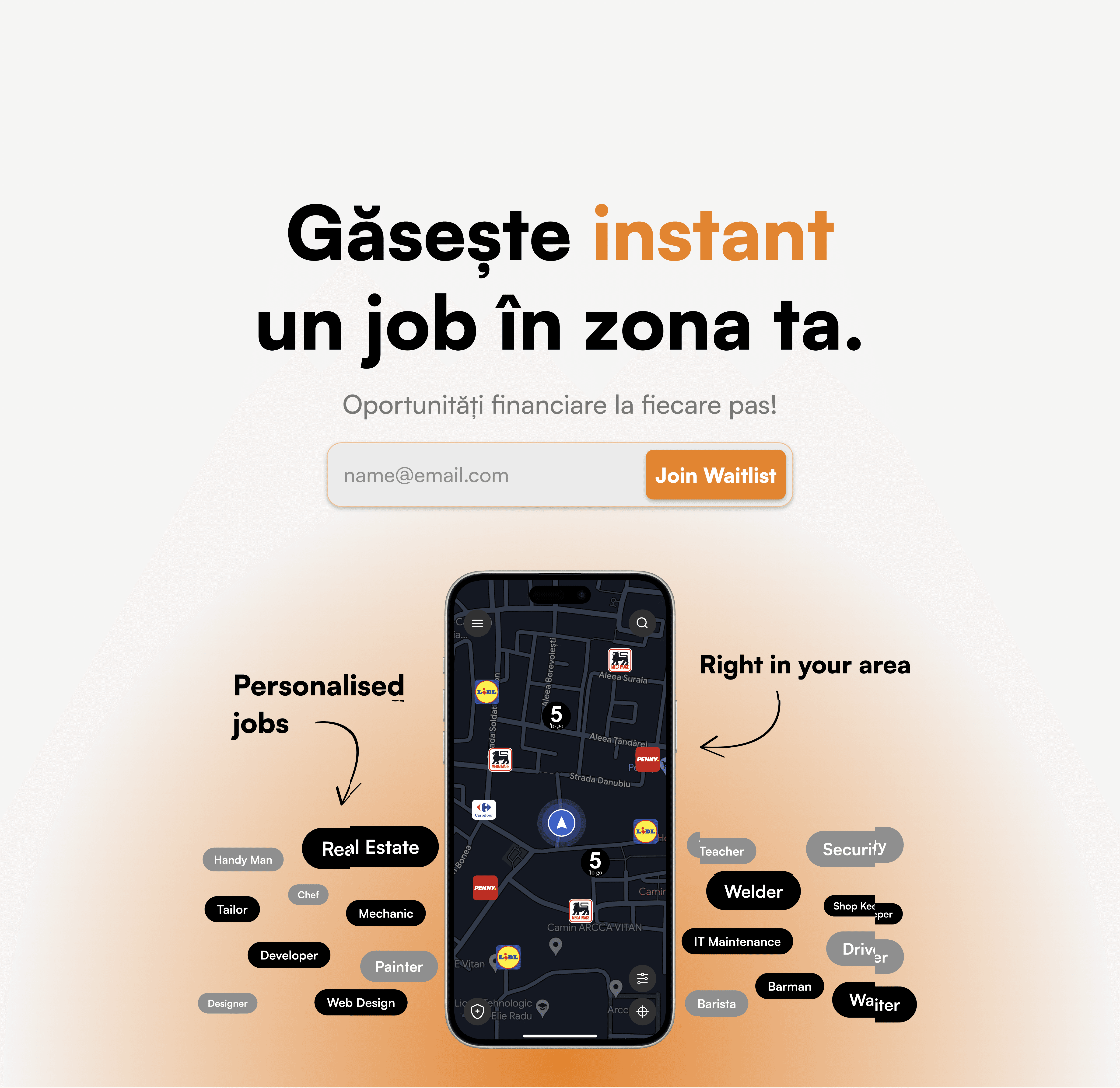
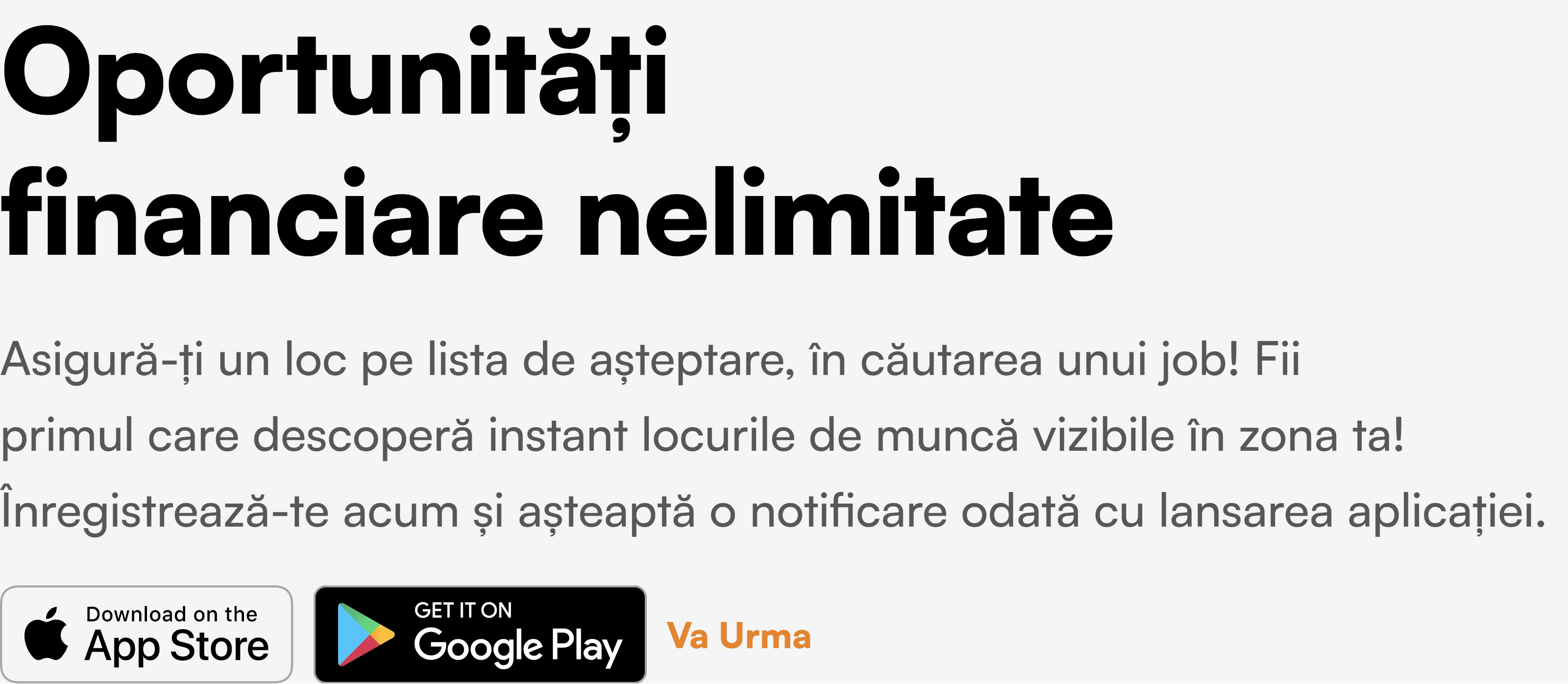
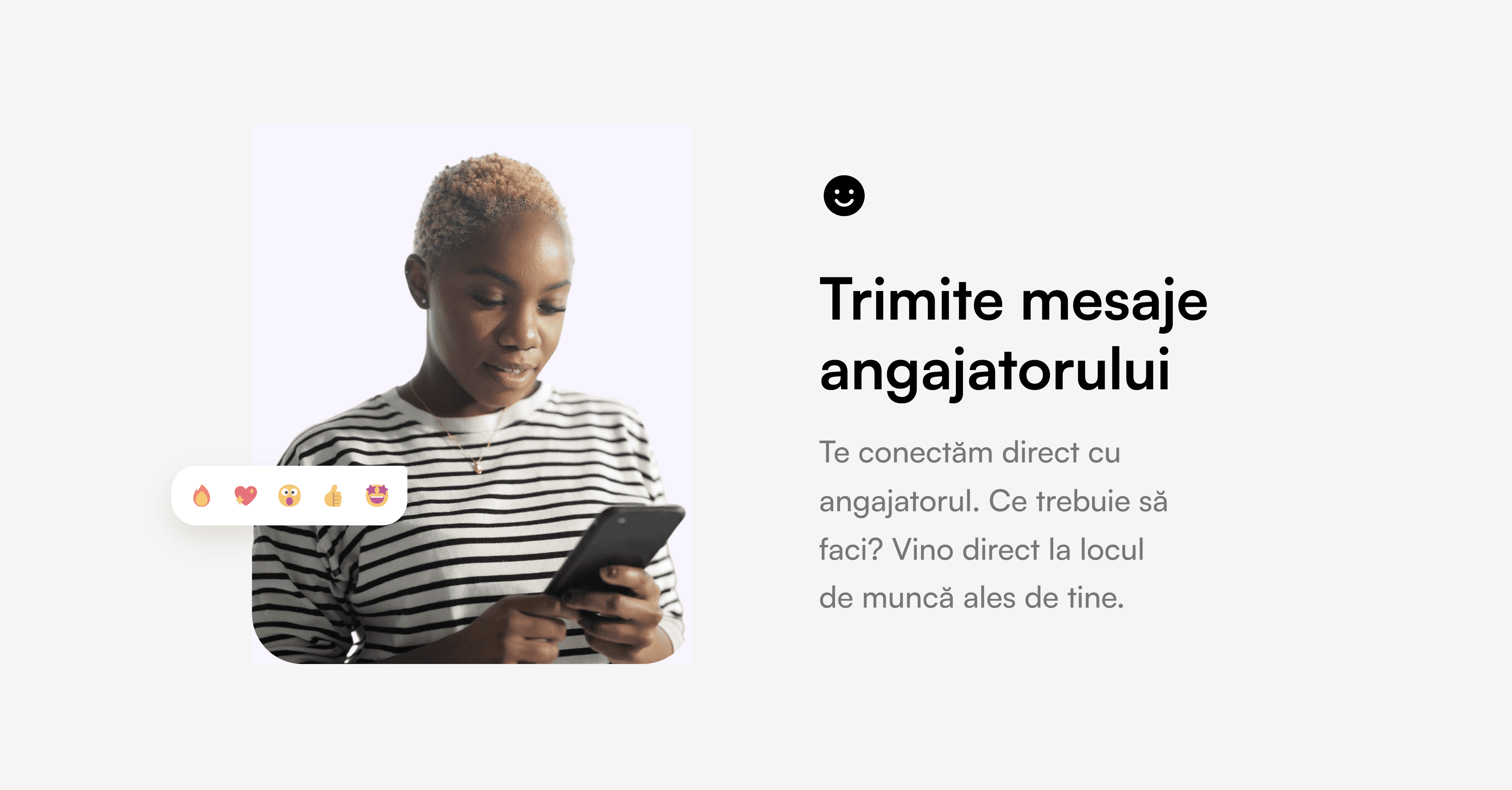
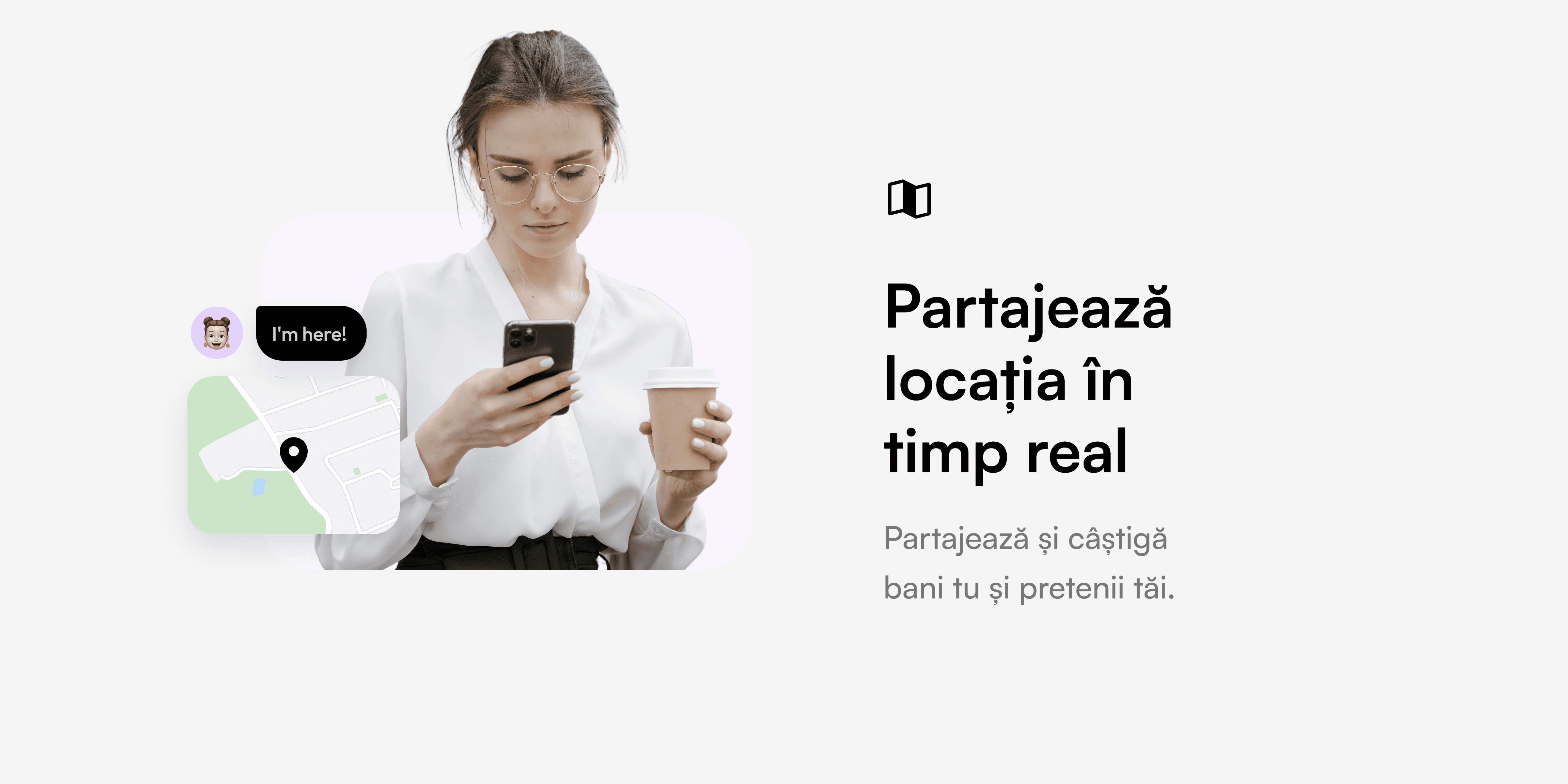
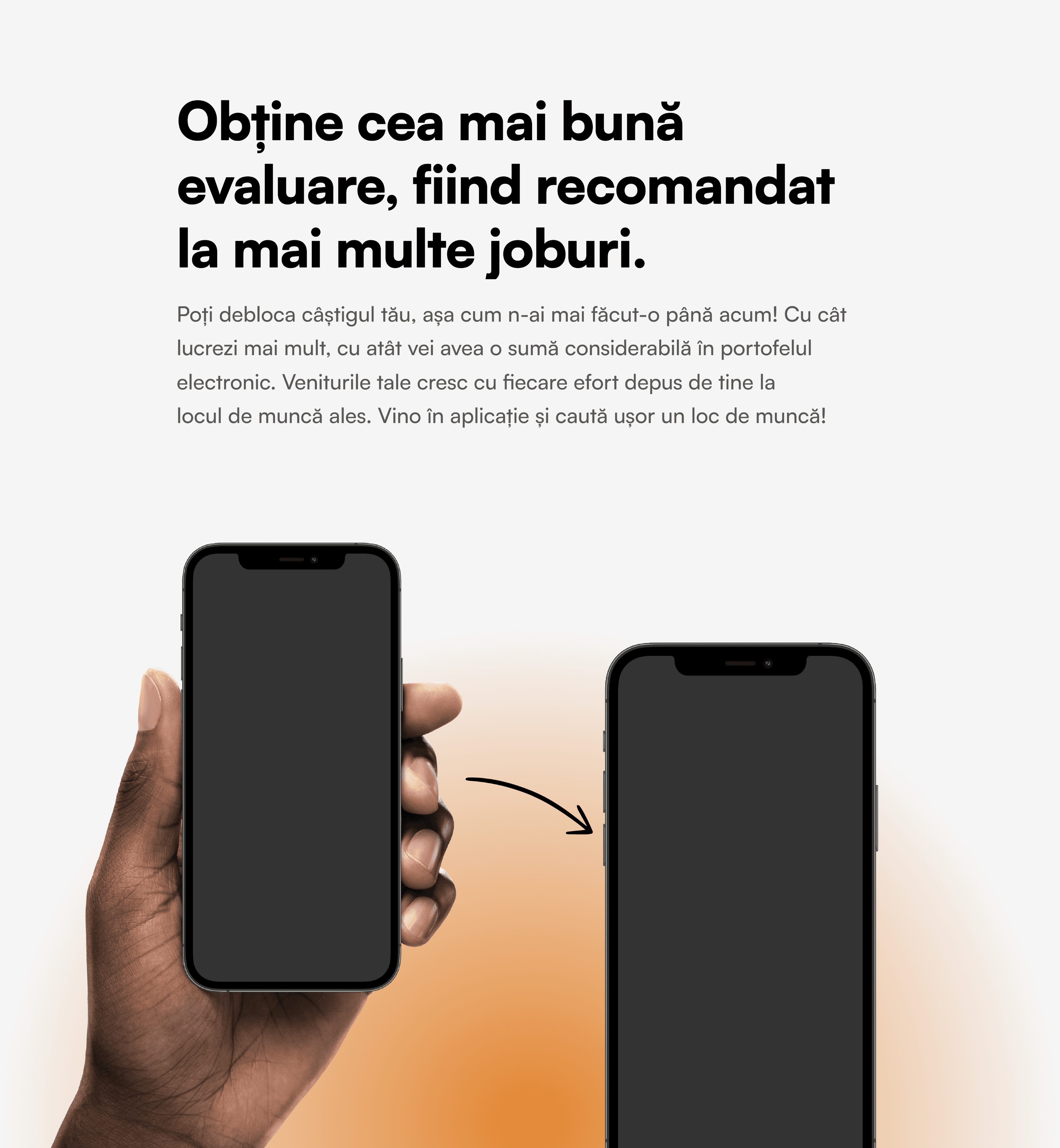
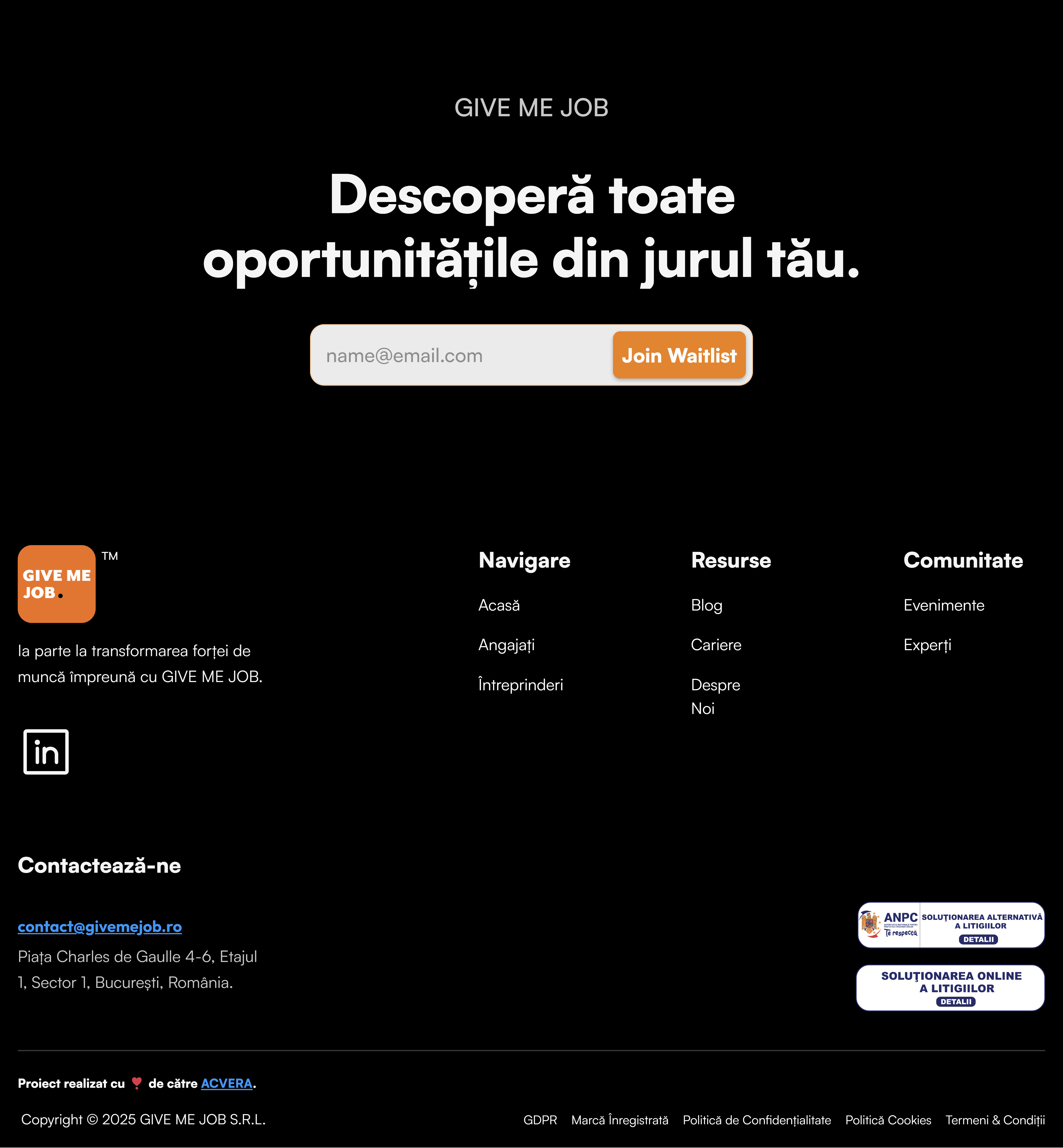
Join GMJ Events
It's a fun new concept that I introduced, so that job seekers can join for free and improve their skills, grow their network, and find new job opportunities.
Click / Tap to expand video
Join GMJ Events
It's a fun new concept that I introduced, so that job seekers can join for free and improve their skills, grow their network, and find new job opportunities.
Click / Tap to expand video
Join GMJ Events
It's a fun new concept that I introduced, so that job seekers can join for free and improve their skills, grow their network, and find new job opportunities.
Click / Tap to expand video
Host GMJ Events
Businesses have the opportunity to connect face-to-face with potential employees, host engaging workshops, and significantly boost your brand visibility.
Click / Tap to expand video
Host GMJ Events
Businesses have the opportunity to connect face-to-face with potential employees, host engaging workshops, and significantly boost your brand visibility.
Click / Tap to expand video
Host GMJ Events
Businesses have the opportunity to connect face-to-face with potential employees, host engaging workshops, and significantly boost your brand visibility.
Click / Tap to expand video
Careers at GMJ
I integrated GorillaTest—a robust third-party recruitment solution—to streamline the hiring process and efficiently secure new talent for Give Me Job, enabling seamless candidate assessments and an optimized recruitment workflow.
Click / Tap to expand video
Careers at GMJ
I integrated GorillaTest—a robust third-party recruitment solution—to streamline the hiring process and efficiently secure new talent for Give Me Job, enabling seamless candidate assessments and an optimized recruitment workflow.
Click / Tap to expand video
Careers at GMJ
I integrated GorillaTest—a robust third-party recruitment solution—to streamline the hiring process and efficiently secure new talent for Give Me Job, enabling seamless candidate assessments and an optimized recruitment workflow.
Click / Tap to expand video
Implementation & Results
I built the entire website using Framer (and a little bit of custom code), which internally leverages Next.js, React, and TypeScript to ensure a high-performance, scalable, and responsive solution. Additionally, I integrated third-party solutions such as Loops.so to manage our email waitlist and newsletter subscriptions, seamlessly enhancing user engagement and conversion.
Lighthouse Test
The initial lighthouse results were 100 for performance, 86 for accessibility, 100 for best practices, and 100 for SEO.
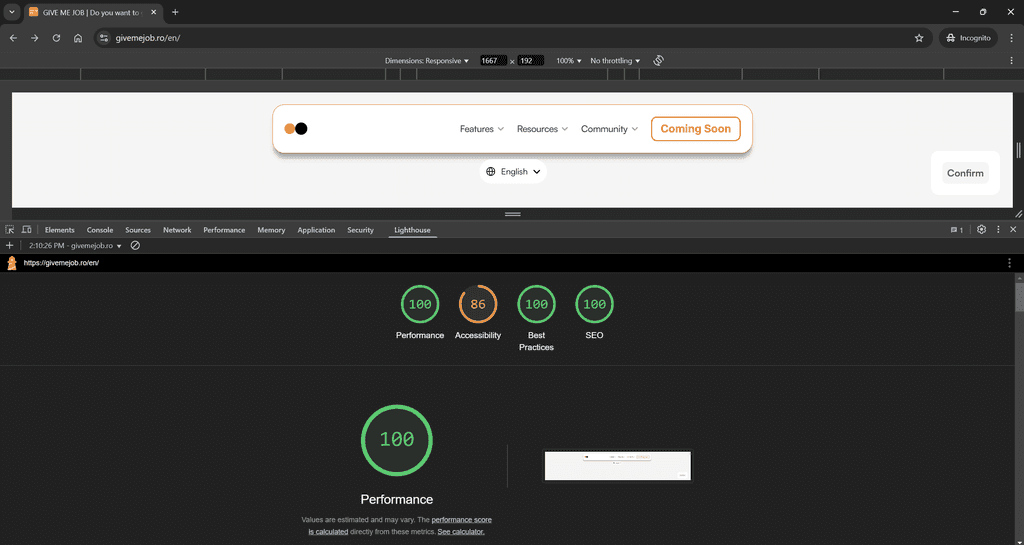

Lighthouse Test
I got the accessibility result up to a score of 95.
Time to Reflect
The main question that guides my day, how can I be better than yesterday?
What's next?
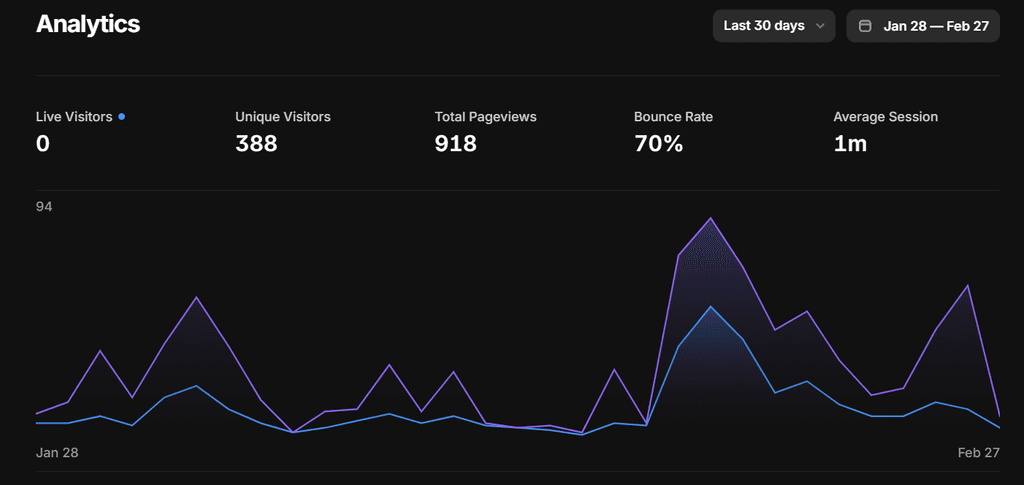
Problem
I got to figure out how I can decrease the bounce rate.
Potential solution
Use an interactive resume builder to keep job seekers engaged.
What did I learn?
What can I teach others?

Teaching #1
Analysis = Paralysis, or in other words, don't waste too much time on design and overcomplicate things. It is much better to go to market fast and improve as you progress.
Teaching #2
Do NOT reinvent the wheel, just make it run smoother. Use any solution that you can find and tailor it to your project. By integrating solutions such as GorillaTest for recruitment and Loops.so for managing the email waitlist, I discovered how strategic tool integration can streamline processes and enhance overall performance.
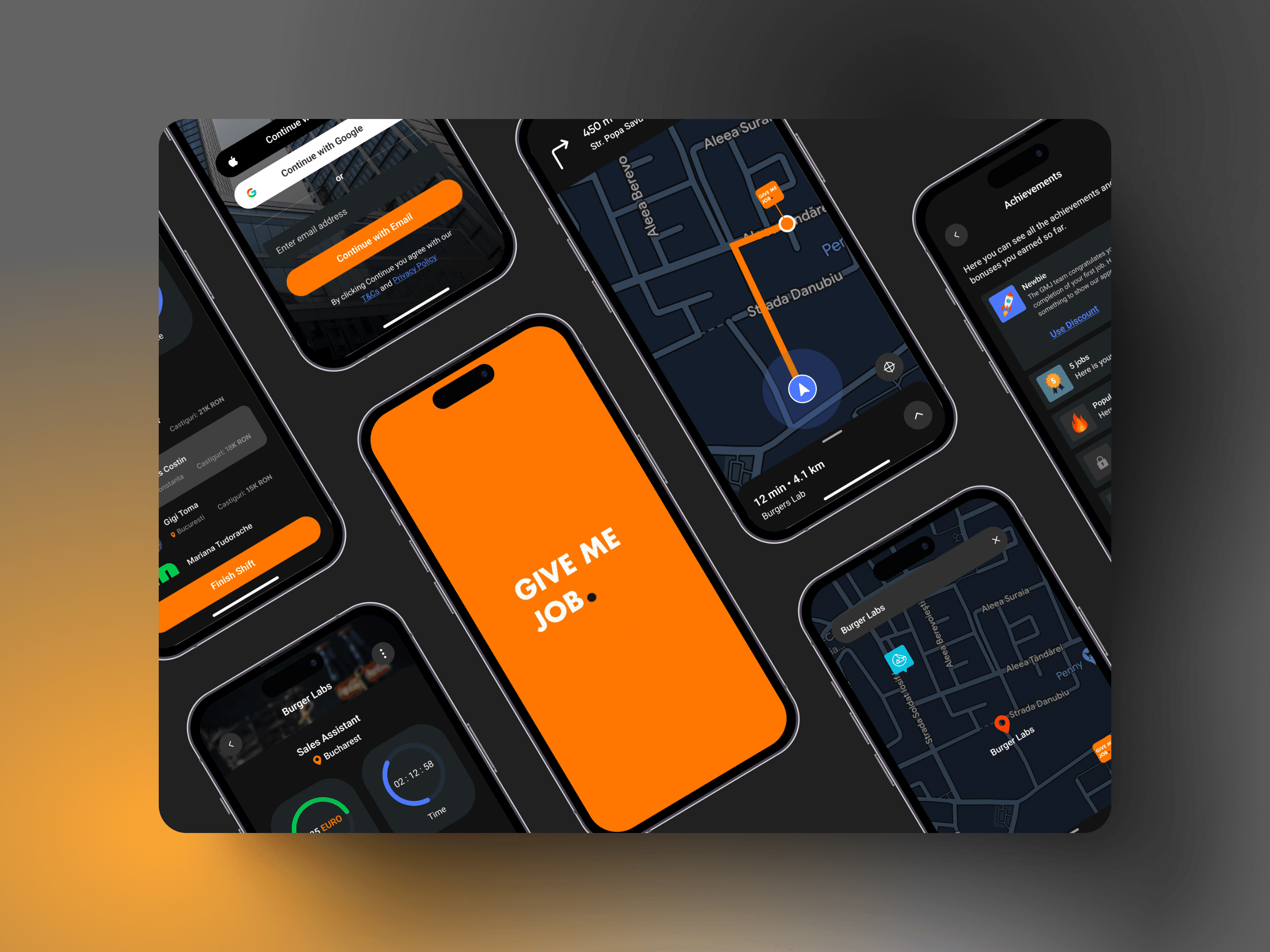
Thank you for reaching this far!
Thank you for reaching this far!
Thank you for reaching this far!